


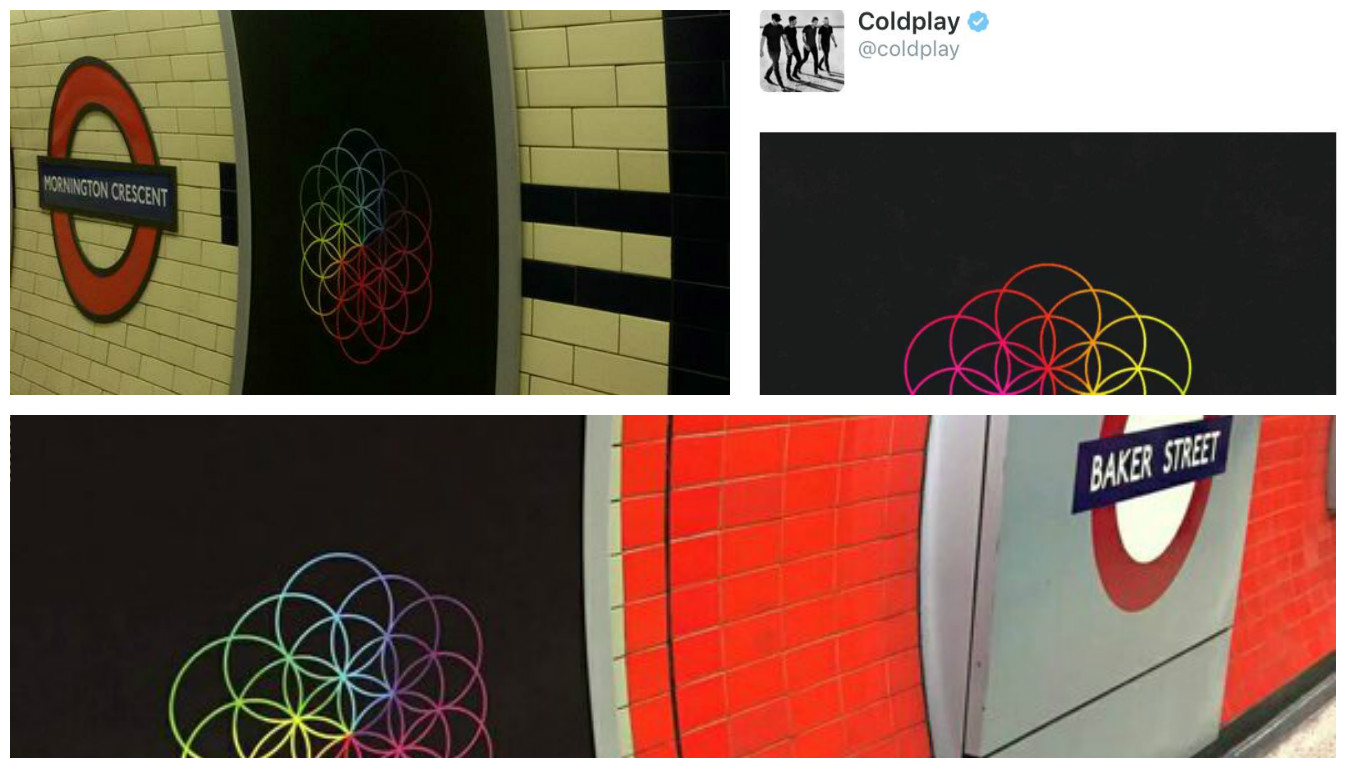

Coldplay posted the animated "Flower of life" symbol of their Facebook and Twitter pages earlier today, confirming they were behind the mysterious poster, which popped up in the London underground on Friday. The December 4th date on the advertisement is believed to be the album release date (no confirmation, as of yet).

We're encouraging fans to report sightings of these posters. DieProspekt on the forums has set up a thread to keep track of all the cities in the world, where the 'AHFOD' poster appears!
So far, there are four confirmed sightings in the London Underground (Mornington Crescent, Baker Street, Waterloo, Camden Town), one in Washington DC and one (multiple on same wall) in Los Angeles. Thank you to all of the Coldplayers who have posted the pics over Twitter, Facebook and our forums so far.
We are encouraging everyone to keep an eye out as you travel through your city/town and snap any new posters you find! If your lucky enough to find one, please post to our messageboards / Phone app, tweet us @coldplaying, message us on Facebook or on Instagram (ColdplayingHQ). Please also note, we're only looking out for posters which are official advertisements.
Recommended Comments