



Skip to content
View in the app

A better way to browse. Learn more.

Coldplaying

A full-screen app on your home screen with push notifications, badges and more.

To install this app on iOS and iPadOS
  1. Tap the Share icon in Safari
  2. Scroll the menu and tap Add to Home Screen.
  3. Tap Add in the top-right corner.
To install this app on Android
  1. Tap the 3-dot menu (⋮) in the top-right corner of the browser.
  2. Tap Add to Home screen or Install app.
  3. Confirm by tapping Install.

Chicago Review: Coldplay throws party for 20,000

Brits try hard to stay up close and personal with their fans


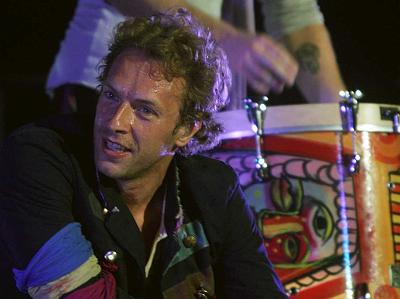
Even after several million albums sold, British art-rockers Coldplay are still conflicted about their status as an arena act, and that's one of their most endearing traits. On the one hand, front man Chris Martin and his bandmates do everything they can to maximize the big rock spectacle, the grand theatrical gesture and the musical bombast.


On Tuesday, the first night of a two-night stand at the United Center, the musicians came out dressed in pseudo-Napoleonic uniforms and began to perform in front of a giant backdrop of Delacroix's French Revolutionary painting, "Liberty Leads the People," which happens to be the cover of their new album, "Viva La Vida."


Read the full review and see pictures here [thanks Carolyn Marie]


suntimes7.jpg

User Feedback

Recommended Comments

There are no comments to display.

Guest
This is now closed for further comments

Account

Navigation

Search

Search

Configure browser push notifications

Chrome (Android)
  1. Tap the lock icon next to the address bar.
  2. Tap Permissions → Notifications.
  3. Adjust your preference.
Chrome (Desktop)
  1. Click the padlock icon in the address bar.
  2. Select Site settings.
  3. Find Notifications and adjust your preference.