


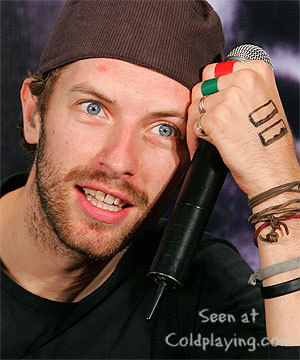

Chris Martin was left red-faced when he was refused entry to the premiere of wife Gwyneth Paltrow's new movie.
The Coldplay frontman - who has a three-year-old daughter, Apple, and a 16-month-old son, Moses, with the 34-year-old actress - was "manhandled" by a security guard who didn't recognise him as he tried to get into the private New York screening of The Good Night on Saturday.
The New York Daily News newspaper reports: "One security guard, who apparently isn't a Coldplay fan, manhandled Chris when he tried to sneak by the waiting mob on the red carpet."
Luckily, Gwyneth - who stars alongside Danny DeVito and Penelope Cruz in the romantic comedy directed by her brother Jake - came to the rescue and her 30-year-old husband was allowed in.
Other celebrities attending the Cinema Society-Wall Street Journal screening included Sir Paul McCartney, who was accompanied by his children Stella, Mary and James, singer Billy Joel, Christy Turlington, fashion designer Donna Karan and actor Kyle MacLachlan.
Following the screening, the VIP guests enjoyed a private dinner at billionaire investor Ronald Perelman's estate. The Good Night follows the story of a married man who falls in love with a woman who exists only in his dreams.
More on this story here

Recommended Comments