


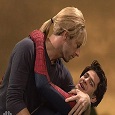

Chris Martin has obviously been watching 'The Amazing Spiderman' too much! Coldplay were due to appear on Saturday Night Live as previewed and Chris decided to give some advise to actor, Andrew Garfield who led a sketch with his partner, Emma Stone which was filming the kissing scene from the popular film with hilarious out-takes and with Emma Stone been referred to as Gwenyth until Chris Martin interrupted proceedings and offered to give the scene a try, so up stepped the Coldplay frontman who was about to get ready for the scene with Emma Stone, or at least that's what we thought! Until Emma was ushered out of the way in favour of Andrew Garfield who was shown by the powerful Chris Martin how a kissing scene is really done! You can watch the intimate moment below...
Emma Stone, Andrew & Chris Martin - Final Kiss... by IdolxMuzicColdplay then performed two tracks for the show, Magic and the energetic A Sky Full of Stars which you can watch below with Chris Martin in dancing mode!
Coldplay performs "A Sky Full Of Stars... by HumanSlinkyEdition 4 of the Coldplay news round up, the Coldplaying video podcast is now up! You can watch the summary of the past week in news below, presented by the excellent Petey/Periahdark.https://www.youtube.com/watch?v=CclchTviALI&feature=youtu.beOur Youtube channel is community led and we appreciate any ideas or any content you would like to provide. You can visit our Youtube channel forums to do (please read the stickies first!)
Recommended Comments