



Skip to content
View in the app

A better way to browse. Learn more.

Coldplaying

A full-screen app on your home screen with push notifications, badges and more.

To install this app on iOS and iPadOS
  1. Tap the Share icon in Safari
  2. Scroll the menu and tap Add to Home Screen.
  3. Tap Add in the top-right corner.
To install this app on Android
  1. Tap the 3-dot menu (⋮) in the top-right corner of the browser.
  2. Tap Add to Home screen or Install app.
  3. Confirm by tapping Install.

Guy Berryman’s New Toy - The Leica M8

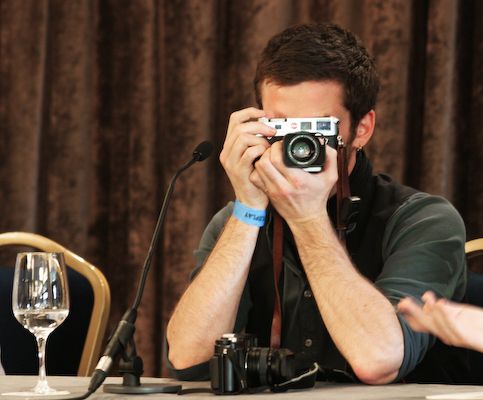
"Guy Berrymans’s new camera may look antique, but it isn’t. It’s actually the new Lieca M8. They’ve got a retro look about them but are about the most coveted cameras around. Guy must be really getting into photography at the moment, because this is a hardcore camera. They retail for about £3000 and I’d give my left nut for one."


26265.jpg

Guy uses a 35mm Summicron ASPH zoom lense and it looks like the folks over at flickr are practially salivating over this cool piece of kit, as it take stunning pictures.


silverm8.jpg


[thanks MikeJ]

User Feedback

Recommended Comments

There are no comments to display.

Guest
This is now closed for further comments

Account

Navigation

Search

Search

Configure browser push notifications

Chrome (Android)
  1. Tap the lock icon next to the address bar.
  2. Tap Permissions → Notifications.
  3. Adjust your preference.
Chrome (Desktop)
  1. Click the padlock icon in the address bar.
  2. Select Site settings.
  3. Find Notifications and adjust your preference.