


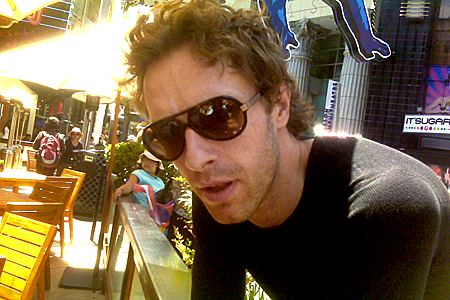

MTV Blog has posted from behind the scenes at this years MTV Movie Awards at Universal Studios. Here is their entry:
Because of the still-smoldering fires on the Universal Studios lot, most — and by most, I mean all — of the restaurants surrounding the Gibson Amphitheatre are closed. Well, closed except for the 30 minutes when they were all open, which is when I managed to score some sushi, which is also when Chris Martin enters into this.
See, while I was crushing some California rolls, the restaurant decided to shut off food service again. Minutes later, I see a rather tall fellow in aviator shades waving frantically at me from across the promenade. (That sentence reads particularly Victorian for whatever reason.) Startled, I realize it’s none other than Coldplay frontman Chris Martin, whom I chatted with yesterday during rehearsals.

Turns out, he was starving, and was having no luck finding an open restaurant. Dazed, he saw me and wandered over. “Can I please have some of your beans?” he pleaded, pointing at my edamame (the photo above captures him mid-plea).
Of course, I gave him some, while my lunch buddies — not to mention a gathering throng of gawkers — looked on in awe. Sated, he thanked me and wandered back into the backstage area. And I wrote this blog entry about how I had a sushi lunch with Chris Martin.
More on this story here [thanks monicka]

Recommended Comments