



Skip to content
View in the app

A better way to browse. Learn more.

Coldplaying

A full-screen app on your home screen with push notifications, badges and more.

To install this app on iOS and iPadOS
  1. Tap the Share icon in Safari
  2. Scroll the menu and tap Add to Home Screen.
  3. Tap Add in the top-right corner.
To install this app on Android
  1. Tap the 3-dot menu (⋮) in the top-right corner of the browser.
  2. Tap Add to Home screen or Install app.
  3. Confirm by tapping Install.

[Boston Support] The Luxury Opens for Coldplay

The dream is a familiar one for anyone who has ever picked up a guitar, switched on a keyboard, or plugged in a microphone: the chance to open for one of the biggest bands on the planet, in front of ten thousand screaming fans, at a sold-out arena.


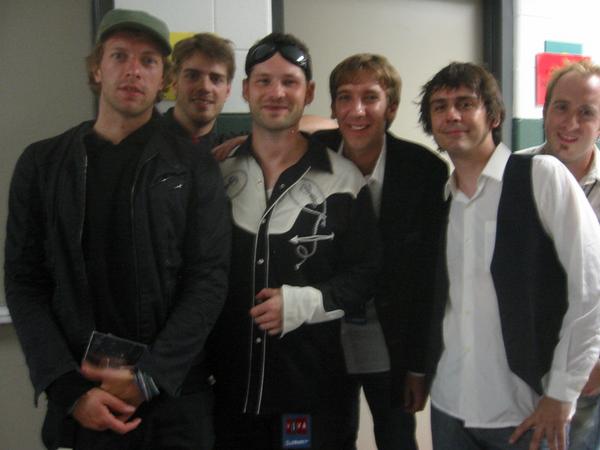
Boston-based OurStage band The Luxury got that chance when they they were chosen by fans on a local radio station to open for mega-stars Coldplay at a sold-out TD Banknorth Garden. The Luxury, with their thick layers of driving piano, swirling guitars, and anthem hooks, sound like they’ve been ready for a show like this for quite a while. Frontman Jason Dunn talked with OurStage about The Luxury’s gig of a lifetime.


Read the full (excellent) article here


w-chris.jpg

User Feedback

Recommended Comments

There are no comments to display.

Guest
This is now closed for further comments

Account

Navigation

Search

Search

Configure browser push notifications

Chrome (Android)
  1. Tap the lock icon next to the address bar.
  2. Tap Permissions → Notifications.
  3. Adjust your preference.
Chrome (Desktop)
  1. Click the padlock icon in the address bar.
  2. Select Site settings.
  3. Find Notifications and adjust your preference.