



Skip to content
View in the app

A better way to browse. Learn more.

Coldplaying

A full-screen app on your home screen with push notifications, badges and more.

To install this app on iOS and iPadOS
  1. Tap the Share icon in Safari
  2. Scroll the menu and tap Add to Home Screen.
  3. Tap Add in the top-right corner.
To install this app on Android
  1. Tap the 3-dot menu (⋮) in the top-right corner of the browser.
  2. Tap Add to Home screen or Install app.
  3. Confirm by tapping Install.

Can You Beat This Selfie? Probably Not

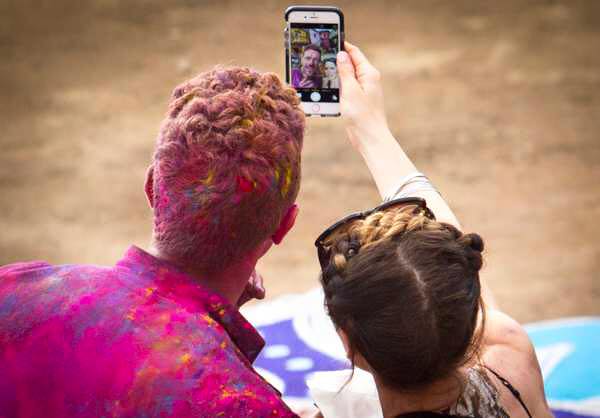
What would your dream selfie be? A snap with Chris Martin, if you're lucky enough to meet him? A cheeky pose with Jonny? Well, this guy had other ideas and captured the whole band, who are appearing to be filmed for a promo photograph, in the background!


Coldplay Selfie


We understand this photo originates from Coldplay's first day in India, on Wednesday.


It wouldn't be surprising at all if we saw the official photo for this soon! Possesses the trademarks of an early era band photo.


Coldplay AHFOD

Discussion is really heating up on 'A Head Full Of Dreams'! Catch all the latest action here

User Feedback

Recommended Comments

There are no comments to display.

Guest
This is now closed for further comments

Account

Navigation

Search

Search

Configure browser push notifications

Chrome (Android)
  1. Tap the lock icon next to the address bar.
  2. Tap Permissions → Notifications.
  3. Adjust your preference.
Chrome (Desktop)
  1. Click the padlock icon in the address bar.
  2. Select Site settings.
  3. Find Notifications and adjust your preference.