


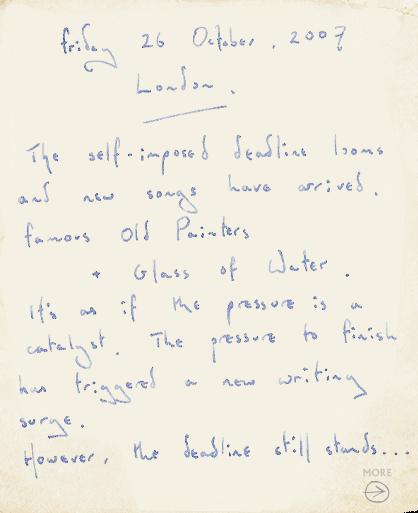

Coldplay has announced a further two songs via Prospekt, 'Famous Old Painters' and 'Glass Of Water'. As always, the Wiki pages have been updated to reflect the updates.
Friday 26 October 2007 - London
The self-imposed deadline looms and new songs have arrived. Famous Old Painters and Glass Of Water. It's as if the pressure is a catalyst. The pressure to finish has triggered a new writing surge. However, the deadline still stands...
With two new songs to explore and record, there's a lot of extra work. But it can still be done. The sense of focus, in the studio, is palpable. Much credit must go to producer Marcus Dravs for pushing to the point of exhaustion but never beyond.
It feels like a very dense record. There are so many melodies and colours packed into a relatively short space (42 mins). As you'd expect with Brian Eno, there's experimentation, and exploration. But the music still has integrity. It's real and honest. There's no posturing or bombast.
The next few weeks will be intense. There's no doubt about that. I've already developed (a) a small patch of alapecia on my hand. Guy's got insomnia and Chris is up and down like a yo-yo. But when the deadline comes and the work is done, this will be the album I always dreamed we'd make.
Prospekt.
You can discuss this here onwards [thanks Loretin]


Recommended Comments