


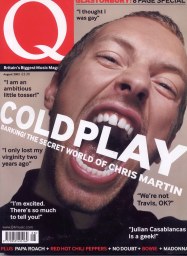

Coldplay played a brief live television show on August 4th at the studios of, Canadian music channel Musiqueplus in Montreal.
The eight-song set, punctuated by frontman Chris Martin addressing the small invited audience in French, came ahead of today's (August 5) release of new single 'In My Place'. The band are entering a week-long battle with 'Pop Idol' loser Darius Danesh to hit the top spot on the UK chart.
Coldplay opened their show with 'Politik', the first track on new album 'A Rush of Blood To The Head'. Following the song, Martin thanked the fans saying simply "Merci beaucoup, tout le monde."
Following 'God Put A Smile Upon On Your Face' Coldplay took questions from the floor during which Martin said the time between finishing the new album and its forthcoming release was similar to the "wait associated in getting your exam results".
The band then ran through 'Trouble', 'Daylight', 'Yellow', 'In My Place', 'The Scientist' and 'Life Is For Living'. After the cameras stopped rolling, Coldplay carried on with 'Shiver' and then 'Don't Panic'.
Recommended Comments