



Skip to content
View in the app

A better way to browse. Learn more.

Coldplaying

A full-screen app on your home screen with push notifications, badges and more.

To install this app on iOS and iPadOS
  1. Tap the Share icon in Safari
  2. Scroll the menu and tap Add to Home Screen.
  3. Tap Add in the top-right corner.
To install this app on Android
  1. Tap the 3-dot menu (⋮) in the top-right corner of the browser.
  2. Tap Add to Home screen or Install app.
  3. Confirm by tapping Install.

Coldplay Plant Hidden LP4 Messages In New Short Video?

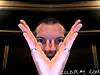
Speculation is growing that Coldplay's latest release - no not the album - but a short video of a collection of stills is actually a hidden message with details of the forthcoming record.


Messages that have been discovered so far are hand signals from Chris Martin that reads similar to "viva la vida", which roughly translates in to "Live the Life". This is backed up by lip readers that say Will Champion says the same thing. This may have links to Spanish influences, recently announced as part of Coldplay's Barcelona visits. Other messages include various other rantings, a picture of Nick Cave, and other unknown people.


Read some of the messages already deciphered in the video, and discover your own, here


11900.jpg21551.jpg31360.jpg41245.jpg

51048.jpg61019.jpg7807.jpg8686.jpg

User Feedback

Recommended Comments

There are no comments to display.

Guest
This is now closed for further comments

Account

Navigation

Search

Search

Configure browser push notifications

Chrome (Android)
  1. Tap the lock icon next to the address bar.
  2. Tap Permissions → Notifications.
  3. Adjust your preference.
Chrome (Desktop)
  1. Click the padlock icon in the address bar.
  2. Select Site settings.
  3. Find Notifications and adjust your preference.