


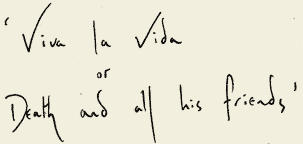

'Viva La Vida or Death and All His Friends' is confimed as the new Coldplay album title.
Prospekt has updated the new entry today on coldplay.com and has added quotes around BOTH titles which suggests that the title is "Viva La Vida or Death and All His Friends", following the strong possibility that their original post was misinterpreted.
What do you think of 'Viva la Vida Or Death And All His Friends'? You can now discuss the real title of the album in the forums here [thanks BostonSportsTD]


Viva la Vida ... not that good. Death and all his friends .. pretty awesome. Viva la Vida or Death and all his friends.... fucking awesome! [thanks SamH]
Original. Ironic. Unexpected. And Totally Crazy. [thanks Zemy101]
VlVORDAAHF . . . Crazy . . . I'm really excited ! [thanks ~ Sandy ~]
Crazy, shocking, wonderful, surprising title! [thanks Coldpatrix]
Given that 'Death and all his friends' is already a track title and 'Viva La Vida' is not, it HAS to be one or the other. Not both. Seriously, some of you should lay off the shrooms. [thanks - DAN - ]
if it's double-titled then i'm DEFINITELY smacking my forehead and rolling my eyes. [thanks ApproximatelyInfinite]
VLVODAAHF is possibly the worst album title in the history of mankind! [thanks NeSs1776]
I haven´t seen this hype since they released the video of The Hardest Part, which is good IMO [thanks Ryujiki]
Recommended Comments