



Skip to content
View in the app

A better way to browse. Learn more.

Coldplaying

A full-screen app on your home screen with push notifications, badges and more.

To install this app on iOS and iPadOS
  1. Tap the Share icon in Safari
  2. Scroll the menu and tap Add to Home Screen.
  3. Tap Add in the top-right corner.
To install this app on Android
  1. Tap the 3-dot menu (⋮) in the top-right corner of the browser.
  2. Tap Add to Home screen or Install app.
  3. Confirm by tapping Install.

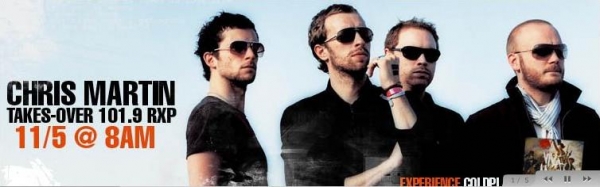
Listen To Chris Martin On 101.9RXP (NYC) - Wed 5th Nov @ 8am (EST, GMT-5)

Tomorrow morning Coldplay's Chris Martin will be dropping into the studios of New York radio station 109.1 RXP at around 8am EST (GMT-5), for an hour or so to hang out and spin some music with Matt Pinfield. You can listen live to their stream via the RXP website.


Join the Coldplaying.com listening party tomorrow at the RXP thread here [thanks CookyMnstr & ccsg]


1019rxp.jpg

User Feedback

Recommended Comments

There are no comments to display.

Guest
This is now closed for further comments

Account

Navigation

Search

Search

Configure browser push notifications

Chrome (Android)
  1. Tap the lock icon next to the address bar.
  2. Tap Permissions → Notifications.
  3. Adjust your preference.
Chrome (Desktop)
  1. Click the padlock icon in the address bar.
  2. Select Site settings.
  3. Find Notifications and adjust your preference.