


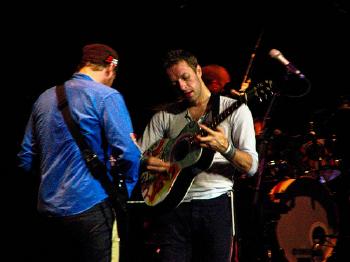

Coldplay played the American Airlines Center, Dallas, in their last of two shows in Texas last night.
Setlist:
Life In Technicolor
Violet Hill
Clocks
 In My Place
Speed Of Sound
Cemeteries Of London
Chinese Sleep Chant
42
Fix You
Strawberry Swing
God Put A Smile Upon Your Face (techno version)
Talk (techno version)
The Hardest Part (Chris - piano instrumental)
Postcards From Far Away (Chris - piano instrumental)
Viva La Vida
Lost!
The Scientist (acoustic)
Death Will Never Conquer (acoustic - Will singing)
Viva La Vida (remix interlude)
------
Politik
Lovers In Japan
Death And All His Friends
-------
Yellow
The Escapist (outro)
[discussion] [photos] [videos] [wiki reviews/setlist] (updated over the next 24 hours)
Talked to Angie on the phone...someone threw a beer and it actually spilled all over the computers of the roadies who are in charge of the backdrops and magic balls. Angie said it made a huge mess that they had to clean up. Those roadies gave her Matt's setlist from under the stage and a page with all the different VIVA badges on it for Dallas [thanks melanieau & texasluvsjonny]
More on this concert including reviews, videos and pictures here onwards.
Recommended Comments