


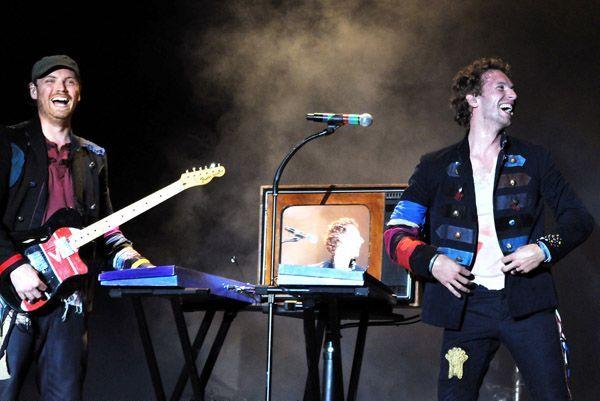

Anticipation builds up in the rows and rows of people waiting for the End. As in Coldplay; the group credited with providing the raison d'être for the Pemberton Music Festival.
It's almost 10:20. The re-scheduled start time was 10:10. Every time any movement occurs on stage there is roar. Then: release.
There is almost a sense of relief when the cascading waves of guitar rain down and the band kicks into "Violet Hill." The first single from the group's new album Viva La Vida. The stuttered two-step rhythm of the song gets the foot-stomping up and folks are fuh-reek-in. When the second tune is "Clocks," followed by "In My Place" you know that the band is going for broke. Jay-Z upped the bar a lot. Now it's time to prove they've got what it takes.
Read the full reviews from this show here onwards, and see all the pictures here
Setlist:
Life in Technicolor
Violet Hill
Clocks
In My Place
Viva La Vida
42
Fix You
Chinese Sleep Chant (band playing close together, right side of stage)
God Put a Smile Upon Your Face (techno version, right side of stage)
Speed of Sound
Yellow
Lost! (regular version - not acoustic)
The Scientist (acoustic, b-stage beside sound booth)
Death Will Never Conquer (acoustic, b-stage, Will on vocals)
techno interlude
Politik
Lovers in Japan
Death and All His Friends
The Escapist (outro)

Recommended Comments