


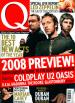

 Three years on from the stadium-conquering X&Y, Coldplay are once again braving the critics and public.
Viva La Vida Or Death And All His Friends, which is released in mid June, is the band’s fourth release, sonically guided by the production genius Brian Eno. The band talk you through the album, track by track. Here's Life In Technicolor and Death And All His Friends:
Life In Technicolor: Glorious instrumental. Originally a full song with lyrics, but when described by a stranger as an “obvious single”, the words were removed. Chris Martin: “It’s nice to not have a singer on the first song come in and ruin it. This is our milkman song, the most whistleable thing. We took all the lyrics off because this song was our only safety net.”
Death And All His Friends: Melancholy piano segues into spangling guitars and a male choir exalting, “I don’t wanna follow death and all of his friends!” Vocals recorded in an art gallery in Barcelona that was once the medical room of an ancient nunnery. Will Champion: “This is us singing all together and then another us singing together. The Coldplay Choir. And it had an echo that lasted for a long, long time. When we did a lot of group singing we just roped in whoever was around. Studio engineers, whoever.”
The rest of the feature - and a full interview with Coldplay - will be in the July issue of Q, on sale June 1. For now you can read the online article and track-by-track synopsis here [thanks winigwl]


Recommended Comments