



Skip to content
View in the app

A better way to browse. Learn more.

Coldplaying

A full-screen app on your home screen with push notifications, badges and more.

To install this app on iOS and iPadOS
  1. Tap the Share icon in Safari
  2. Scroll the menu and tap Add to Home Screen.
  3. Tap Add in the top-right corner.
To install this app on Android
  1. Tap the 3-dot menu (⋮) in the top-right corner of the browser.
  2. Tap Add to Home screen or Install app.
  3. Confirm by tapping Install.

[Round-up] Check out Will Champion’s Mini Movie

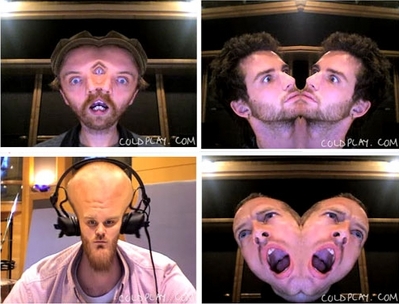
Head over to Coldplay.com to check out a brand new addition to the timeline. During gaps between drumming duties, Will has put together an intriguing short film made up from over 600 pictures taken in the studio. Pictures like these:


normal_warped.jpg


Once you’ve watched it, check out Prospekt’s latest journal entry, which he posted last week giving the latest update on the band’s new album.


Among the other recent additions on the timeline, head to 1999 to hear rare audio footage of Coldplay chatting to Steve Lamacq before their first ever BBC Radio One session. They sound extremely nervous.


And don’t forget to keep checking back to Coldplay.com for new content - they’re adding at least two items a week.

User Feedback

Recommended Comments

There are no comments to display.

Guest
This is now closed for further comments

Account

Navigation

Search

Search

Configure browser push notifications

Chrome (Android)
  1. Tap the lock icon next to the address bar.
  2. Tap Permissions → Notifications.
  3. Adjust your preference.
Chrome (Desktop)
  1. Click the padlock icon in the address bar.
  2. Select Site settings.
  3. Find Notifications and adjust your preference.