



Skip to content
View in the app

A better way to browse. Learn more.

Coldplaying

A full-screen app on your home screen with push notifications, badges and more.

To install this app on iOS and iPadOS
  1. Tap the Share icon in Safari
  2. Scroll the menu and tap Add to Home Screen.
  3. Tap Add in the top-right corner.
To install this app on Android
  1. Tap the 3-dot menu (⋮) in the top-right corner of the browser.
  2. Tap Add to Home screen or Install app.
  3. Confirm by tapping Install.

[Support Acts] Coldplay Want You For US Shows!

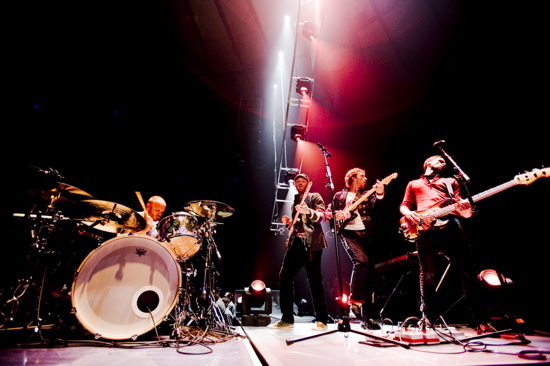
magicball.jpgColdplay are seeking unknown acts to join the bill on their upcoming "Viva La Vida" tour of North America.


The band have announced details of a contest for six summer concerts, appealing for aspiring groups to submit video performances. Support roles are required for concerts in Chicago, San Jose, Philadelphia, DC, Boston and Hartford. Interested acts should visit coldplayontour.com and can apply using YouTube clips of their band at work.


Coldplay's US tour opens next month in Los Angeles.


More on this here [thanks mimixxx]

User Feedback

Recommended Comments

There are no comments to display.

Guest
This is now closed for further comments

Account

Navigation

Search

Search

Configure browser push notifications

Chrome (Android)
  1. Tap the lock icon next to the address bar.
  2. Tap Permissions → Notifications.
  3. Adjust your preference.
Chrome (Desktop)
  1. Click the padlock icon in the address bar.
  2. Select Site settings.
  3. Find Notifications and adjust your preference.