



Skip to content
View in the app

A better way to browse. Learn more.

Coldplaying

A full-screen app on your home screen with push notifications, badges and more.

To install this app on iOS and iPadOS
  1. Tap the Share icon in Safari
  2. Scroll the menu and tap Add to Home Screen.
  3. Tap Add in the top-right corner.
To install this app on Android
  1. Tap the 3-dot menu (⋮) in the top-right corner of the browser.
  2. Tap Add to Home screen or Install app.
  3. Confirm by tapping Install.

Coldplay Headlines On Your Site

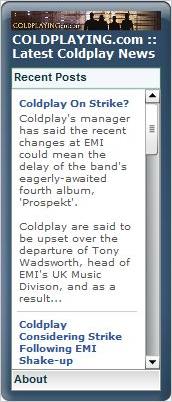
Have you got a personal website crying out for fresh content, a MySpace page that needs jazzing up or a Facebook entry lacking that something to set it apart?


Then check out the widget that lets you put Coldplaying headlines on YOUR site. It's easy to install, updates every time we publish a Coldplay news article on the site, and it allows your users to click a link for the full story and pictures.


All you need to is click here and follow the instructions to configure your own widget. Then just sit back and enjoy the very best in Coldplay news.


widgetbox2.jpgwidgetbox.jpg

User Feedback

Recommended Comments

There are no comments to display.

Guest
This is now closed for further comments

Account

Navigation

Search

Search

Configure browser push notifications

Chrome (Android)
  1. Tap the lock icon next to the address bar.
  2. Tap Permissions → Notifications.
  3. Adjust your preference.
Chrome (Desktop)
  1. Click the padlock icon in the address bar.
  2. Select Site settings.
  3. Find Notifications and adjust your preference.