



Skip to content
View in the app

A better way to browse. Learn more.

Coldplaying

A full-screen app on your home screen with push notifications, badges and more.

To install this app on iOS and iPadOS
  1. Tap the Share icon in Safari
  2. Scroll the menu and tap Add to Home Screen.
  3. Tap Add in the top-right corner.
To install this app on Android
  1. Tap the 3-dot menu (⋮) in the top-right corner of the browser.
  2. Tap Add to Home screen or Install app.
  3. Confirm by tapping Install.

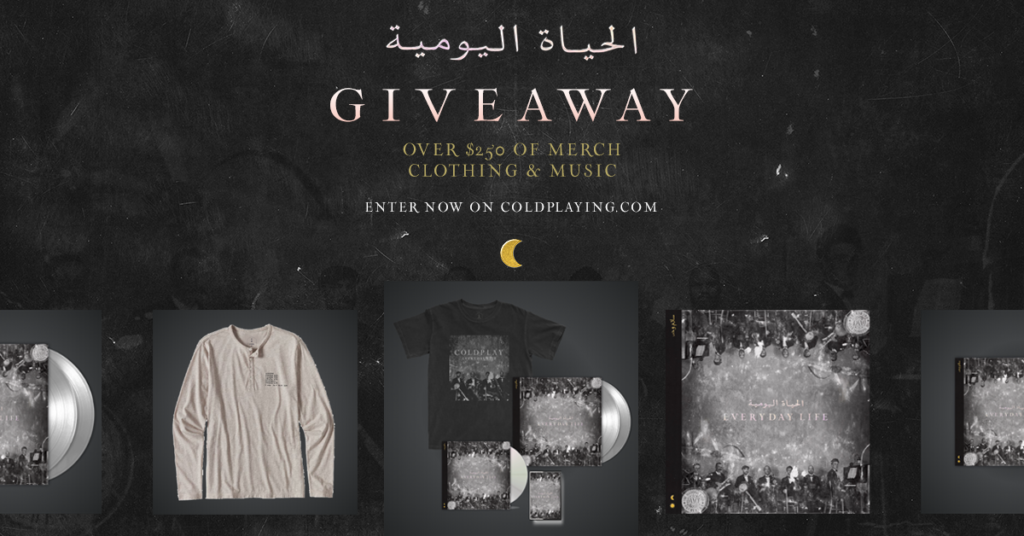
COLDPLAYING MEGA MERCH GIVEAWAY | Over $250 of Merchandise!

Coldplaying is giving away over $250 worth of Coldplay's new Everyday Life merchandise!


Ten lucky participants will receive an item of clothing or music from Coldplay's new merchandise store (subject to availability).


All you have to do is enter your details below and complete all the actions to be in with a chance of winning our biggest giveaway yet!


Thank you to everyone who has contributed to Coldplaying over the years by donating and not using an ad blocker ? This would not be possible without your generosity.


Winners will be contacted on 22 November so keep an eye on your emails.


Coldplaying MEGA GIVEAWAY


User Feedback

Recommended Comments

There are no comments to display.

Guest
This is now closed for further comments

Account

Navigation

Search

Search

Configure browser push notifications

Chrome (Android)
  1. Tap the lock icon next to the address bar.
  2. Tap Permissions → Notifications.
  3. Adjust your preference.
Chrome (Desktop)
  1. Click the padlock icon in the address bar.
  2. Select Site settings.
  3. Find Notifications and adjust your preference.