



Skip to content
View in the app

A better way to browse. Learn more.

Coldplaying

A full-screen app on your home screen with push notifications, badges and more.

To install this app on iOS and iPadOS
  1. Tap the Share icon in Safari
  2. Scroll the menu and tap Add to Home Screen.
  3. Tap Add in the top-right corner.
To install this app on Android
  1. Tap the 3-dot menu (⋮) in the top-right corner of the browser.
  2. Tap Add to Home screen or Install app.
  3. Confirm by tapping Install.

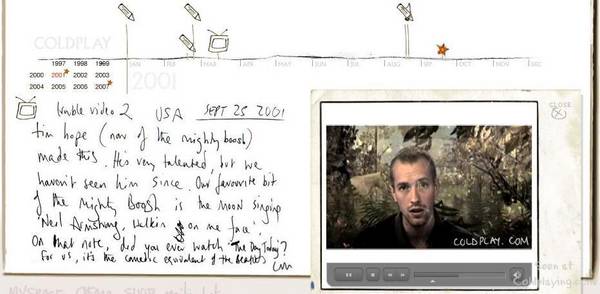
[27/11/2007] New Star On Coldplay.com 2001 | Trouble Video 2 USA

Check out the 2001 section of Coldplay.com for a new star...


Trouble Video 2 USA - Sept 25, 2001

Tim Hope (of the Mighty Boosh) made this. He's very talented, but we haven't seen him since. Our favourite bit of the Mighty Boosh is the moon singing 'Neil Armstrong walkin' on me face'. On that note, did you ever watch 'The Day Today'? For us, its the comedic equivalent of The Beatles.

CM


You can discuss this star here [thanks fixed] and click here for the WikiColdplay chronology page.


troublevideousa.jpg

User Feedback

Recommended Comments

There are no comments to display.

Guest
This is now closed for further comments

Account

Navigation

Search

Search

Configure browser push notifications

Chrome (Android)
  1. Tap the lock icon next to the address bar.
  2. Tap Permissions → Notifications.
  3. Adjust your preference.
Chrome (Desktop)
  1. Click the padlock icon in the address bar.
  2. Select Site settings.
  3. Find Notifications and adjust your preference.