


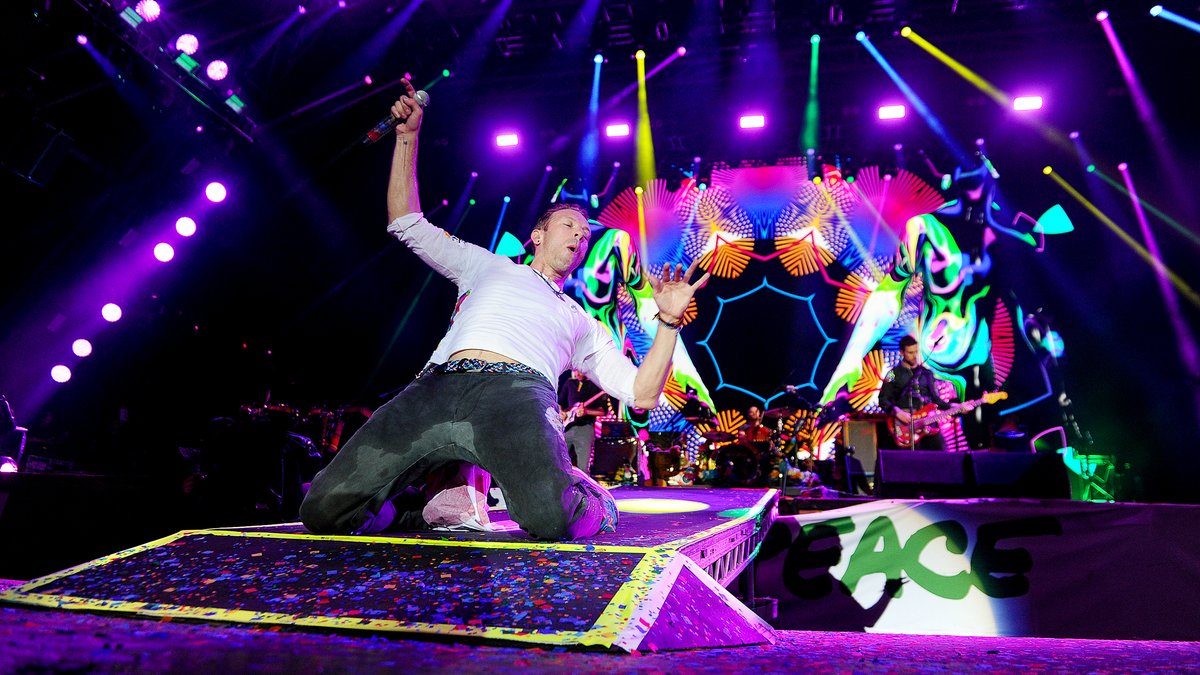

It’s official: Coldplay are too big for Glastonbury. They’re climbing on the ice cream vans and scaling the back fences to get a view of the stage across a toe-to-tail crowd of 100,000 plus, all waving their light-up wristbands in the air like their own little speck in the world’s biggest Pollock. -NME
[vc_row][vc_column][vc_tta_tabs][vc_tta_section i_icon_fontawesome=fa fa-info" title="Info" tab_id="1478613884705-23d90418-7afc" add_icon="true][vc_column_text]Glastonbury Festival
Worthy Farm, Pilton, England
26th June, 2016
Lineage: BBC 2 HD > TBS 6981 > DVBViewer > TSSniper > uncompressed.ts
Setlist:
1. O mio babbino caro (Maria Callas song)
2. A Head Full of Dreams (extended intro with Charlie Chaplin speech)
3. Yellow
4. Every Teardrop Is a Waterfall
5. The Scientist
6. Birds (with "Oceans" excerpt in intro)
7. Paradise (with Tiësto remix outro)
8. Everglow (Chris solo due to piano being out of tune; with Muhammad Ali tribute video at the end)
9. Clocks (with "Army of One" excerpt in intro)
10. Midnight (partial)
11. Charlie Brown
12. Hymn for the Weekend
13. Fix You (with "Midnight" excerpt in intro)
14. Boys That Sing (Viola Beach cover) (Coldplay debut; with Viola Beach vocals throughout)
15. Viva la Vida
16. Adventure of a Lifetime
Encore:
17. Kaleidoscope (extended)
18. To Love Somebody (Bee Gees cover) (with Barry Gibb)
19. Stayin' Alive (Bee Gees cover) (with Barry Gibb)
20. A Sky Full of Stars
21. Up&Up
22. My Way (Frank Sinatra cover) (with Michael Eavis on vocals)
23. Up&Up (Reprise)
Video Type: Pro Shot
Notes: Taper: Stephen Dolan (coldplaying.com)
Recorded from BBC 2 HD[/vc_column_text][/vc_tta_section][vc_tta_section i_icon_fontawesome=fa fa-file-video-o" title="Media Specs" tab_id="1478613884707-b9f6b6b1-d8bb" add_icon="true][vc_column_text]General
ID : 16 (0x10)
Format : MPEG-TS
File size : 5.77 GiB
Duration : 1 h 48 min
Overall bit rate mode : Variable
Overall bit rate : 7 597 kb/s
Video
ID : 5500 (0x157C)
Menu ID : 6940 (0x1B1C)
Format : AVC
Format/Info : Advanced Video Codec
Format profile : High@L4
Format settings, CABAC : Yes
Format settings, ReFrames : 4 frames
Format settings, GOP : M=8, N=24
Codec ID : 27
Duration : 1 h 48 min
Bit rate : 7 028 kb/s
Width : 1 920 pixels
Height : 1 080 pixels
Display aspect ratio : 16:9
Frame rate : 25.000 FPS
Standard : Component
Color space : YUV
Chroma subsampling : 4:2:0
Bit depth : 8 bits
Scan type : MBAFF
Scan type, store method : Interleaved fields
Scan order : Top Field First
Bits/(Pixel*Frame) : 0.136
Stream size : 5.34 GiB (93%)
Color range : Limited
Color primaries : BT.709
Transfer characteristics : BT.709
Matrix coefficients : BT.709
Audio
ID : 5501 (0x157D)
Menu ID : 6940 (0x1B1C)
Format : AC-3
Format/Info : Audio Coding 3
Mode extension : CM (complete main)
Format settings, Endianness : Big
Codec ID : 6
Duration : 1 h 48 min
Bit rate mode : Constant
Bit rate : 192 kb/s
Channel(s) : 2 channels
Channel positions : Front: L R
Sampling rate : 48.0 kHz
Frame rate : 31.250 FPS (1536 spf)
Compression mode : Lossy
Delay relative to video : 6 ms
Stream size : 149 MiB (3%)
Language : English
Language, more info : Clean effects[/vc_column_text][/vc_tta_section][vc_tta_section title= Discussion" tab_id="1478617081332-35118a45-5881][/vc_tta_section][/vc_tta_tabs][/vc_column][/vc_row]
Recommended Comments