
Skip to content
View in the app

A better way to browse. Learn more.

Coldplaying

A full-screen app on your home screen with push notifications, badges and more.

To install this app on iOS and iPadOS
  1. Tap the Share icon in Safari
  2. Scroll the menu and tap Add to Home Screen.
  3. Tap Add in the top-right corner.
To install this app on Android
  1. Tap the 3-dot menu (⋮) in the top-right corner of the browser.
  2. Tap Add to Home screen or Install app.
  3. Confirm by tapping Install.

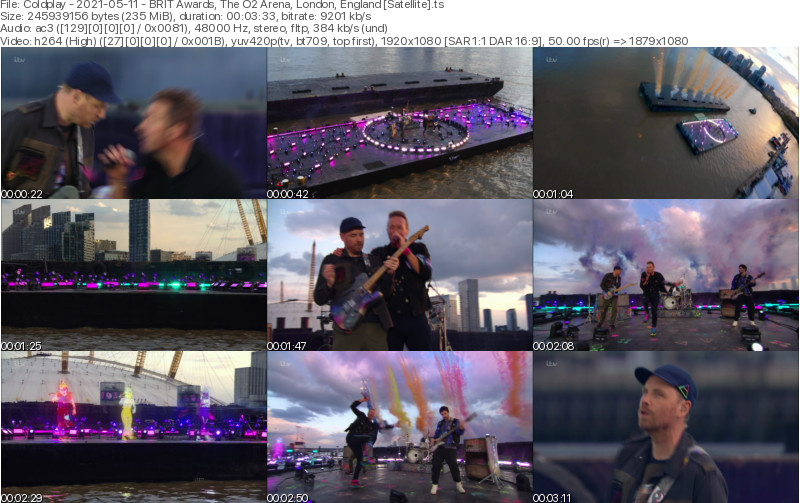
[2021-05-11] BRIT Awards, The O2 Arena, London, England [Satellite | 1080i | 9211 kb/s]

2 Screenshots

Coldplay
BRIT Awards 2021
The O2 Arena
London, England
May 11, 2021

Lineage: 28.2E (Astra 2E) > VU+ Zero 4k > Avidemux 2.7.8 (split) > file.ts

Video: H264 Video 1920x1080i 16:9 8468 kb/s 25.00 fps 8-bit 4:2:0
Audio: AC3 384 Kbps 48.0 KHz stereo

Setlist:
01. Higher Power

Notes: Pre-recorded on April 29. Thanks to timyyy on Coldplaying for uploading.

Media Info:

Spoiler

General
ID                                       : 1 (0x1)
Format                                   : MPEG-TS
File size                                : 235 MiB
Duration                                 : 3 min 33 s
Overall bit rate mode                    : Variable
Overall bit rate                         : 9 211 kb/s

Video
ID                                       : 256 (0x100)
Menu ID                                  : 1 (0x1)
Format                                   : AVC
Format/Info                              : Advanced Video Codec
Format profile                           : High@L4
Format settings                          : CABAC / 4 Ref Frames
Format settings, CABAC                   : Yes
Format settings, Reference frames        : 4 frames
Format settings, GOP                     : M=4, N=32
Codec ID                                 : 27
Duration                                 : 3 min 33 s
Bit rate                                 : 8 368 kb/s
Width                                    : 1 920 pixels
Height                                   : 1 080 pixels
Display aspect ratio                     : 16:9
Frame rate                               : 25.000 FPS
Color space                              : YUV
Chroma subsampling                       : 4:2:0
Bit depth                                : 8 bits
Scan type                                : MBAFF
Bits/(Pixel*Frame)                       : 0.161
Stream size                              : 213 MiB (91%)
Color range                              : Limited
Color primaries                          : BT.709
Transfer characteristics                 : BT.709
Matrix coefficients                      : BT.709

Audio
ID                                       : 257 (0x101)
Menu ID                                  : 1 (0x1)
Format                                   : AC-3
Format/Info                              : Audio Coding 3
Commercial name                          : Dolby Digital
Codec ID                                 : 129
Duration                                 : 3 min 33 s
Bit rate mode                            : Constant
Bit rate                                 : 384 kb/s
Channel(s)                               : 2 channels
Channel layout                           : L R
Sampling rate                            : 48.0 kHz
Frame rate                               : 31.250 FPS (1536 SPF)
Compression mode                         : Lossy
Delay relative to video                  : -57 ms
Stream size                              : 9.79 MiB (4%)
Service kind                             : Complete Main

Menu
ID                                       : 4096 (0x1000)
Menu ID                                  : 1 (0x1)
Duration                                 : 3 min 33 s
List                                     : 256 (0x100) (AVC) / 257 (0x101) (AC-3)
Service name                             : Service01
Service provider                         : FFmpeg
Service type                             : digital television


Account

Navigation

Search

Search

Configure browser push notifications

Chrome (Android)
  1. Tap the lock icon next to the address bar.
  2. Tap Permissions → Notifications.
  3. Adjust your preference.
Chrome (Desktop)
  1. Click the padlock icon in the address bar.
  2. Select Site settings.
  3. Find Notifications and adjust your preference.