Skip to content
View in the app

A better way to browse. Learn more.

Coldplaying

A full-screen app on your home screen with push notifications, badges and more.

To install this app on iOS and iPadOS
  1. Tap the Share icon in Safari
  2. Scroll the menu and tap Add to Home Screen.
  3. Tap Add in the top-right corner.
To install this app on Android
  1. Tap the 3-dot menu (⋮) in the top-right corner of the browser.
  2. Tap Add to Home screen or Install app.
  3. Confirm by tapping Install.

R#42 blog

303 posts in this category

  1. Guest ·
    Check out the 2005 section of Coldplay.com for a new star...   Madison Square Garden 05 (6/7 Sept 2005) The band before us took their drumkit home as they were pissed off with the promoter... oh wait a minute that was another time CM   You can discuss this star here onwards and pictures here [thanks CP678]. Pictures courtesy of Penny Howle, for coldplay.com.  
    Guest
    Guest
    • 0 comments
    • 399 views
  2. Guest ·
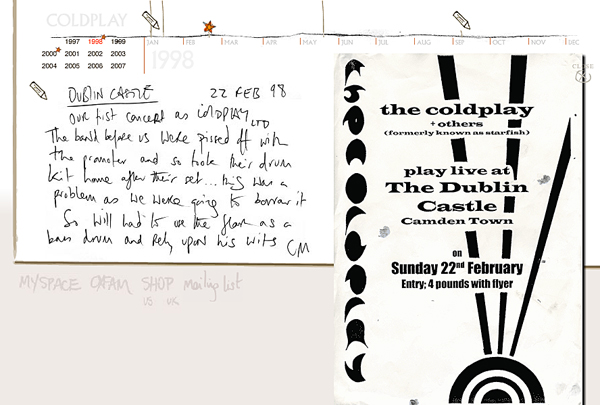
    Check out the 1998 section of Coldplay.com for a new star.   Dublin Castle - Feb. 22, 1998 Our first concert as Coldplay Ltd The band before us were pissed off with the promoter and so took their drum kit home after their set... this was a problem as we were going to borrow it. So Will had to use the flare as the bass drum and rely upon his wits CM   You can discuss this star here onwards [thanks doritji and the.hardest.part]  
    Guest
    Guest
    • 0 comments
    • 417 views
  3. Guest ·
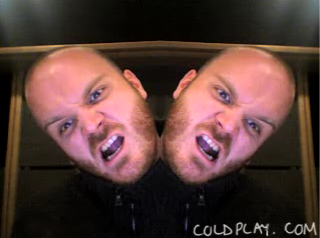
    Check out the 2007 section of Coldplay.com for a new star...   7/11/07 This is a very short film. WC   You can discuss this star and watch the video here onwards [thanks melanieau, Loretin, Joyhannah, GazeboflossUK]  

    Guest
    Guest
    • 0 comments
    • 406 views

Account

Navigation

Search

Search

Configure browser push notifications

Chrome (Android)
  1. Tap the lock icon next to the address bar.
  2. Tap Permissions → Notifications.
  3. Adjust your preference.
Chrome (Desktop)
  1. Click the padlock icon in the address bar.
  2. Select Site settings.
  3. Find Notifications and adjust your preference.