



Skip to content
View in the app

A better way to browse. Learn more.

Coldplaying

A full-screen app on your home screen with push notifications, badges and more.

To install this app on iOS and iPadOS
  1. Tap the Share icon in Safari
  2. Scroll the menu and tap Add to Home Screen.
  3. Tap Add in the top-right corner.
To install this app on Android
  1. Tap the 3-dot menu (⋮) in the top-right corner of the browser.
  2. Tap Add to Home screen or Install app.
  3. Confirm by tapping Install.

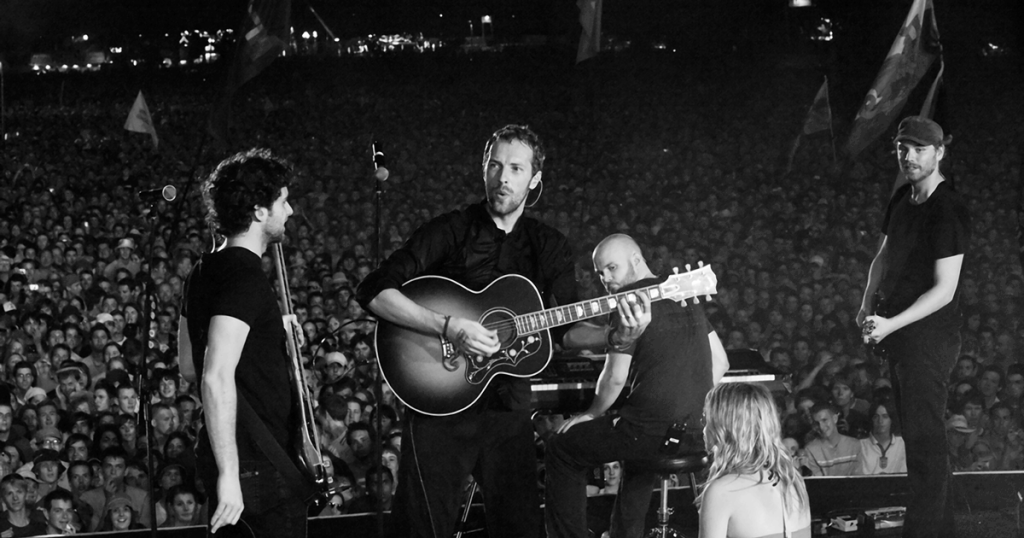
[2006-06-11] Isle of Wight Festival, Seaclose Park, Newport, England [1080i | 10.6Mb/s]

1 Screenshot

Coldplay
Isle of Wight Festival
Seaclose Park
Newport, England
June 11, 2006

Lineage: Sky Arts (Catch Up) > Blackmagic Ultrastudio Recorder 3G > Blackmagic Media Express > ProRes 422 LT > Premiere Pro > 10Mb/s MP4 > FFMpeg rewrap to .ts

Video: H264 Video 1920x1080i 16:9 10.0 Mb/s 25.00 fps 8-bit 4:2:0
Audio: AAC LC 320 Kbps 48.0 KHz stereo

Setlist:
01. Yellow
02. Clocks
03. In My Place
04. Fix You

Note: Only four songs were broadcast as part of the 2020 Isle of Wight Greatest Hits series.

Media Info:


General


ID                                       : 1 (0x1)
Format                                   : MPEG-TS
File size                                : 1.54 GiB
Duration                                 : 20 min 49 s
Overall bit rate mode                    : Variable
Overall bit rate                         : 10.6 Mb/s

Video
ID                                       : 256 (0x100)
Menu ID                                  : 1 (0x1)
Format                                   : AVC
Format/Info                              : Advanced Video Codec
Format profile                           : [email protected]
Format settings                          : CABAC / 4 Ref Frames
Format settings, CABAC                   : Yes
Format settings, Reference frames        : 4 frames
Codec ID                                 : 27
Duration                                 : 20 min 49 s
Width                                    : 1 920 pixels
Height                                   : 1 080 pixels
Display aspect ratio                     : 16:9
Frame rate                               : 25.000 FPS
Color space                              : YUV
Chroma subsampling                       : 4:2:0
Bit depth                                : 8 bits
Scan type                                : Interlaced
Scan type, store method                  : Separated fields
Scan order                               : Top Field First
Color range                              : Limited
Color primaries                          : BT.709
Transfer characteristics                 : BT.709
Matrix coefficients                      : BT.709

Audio
ID                                       : 257 (0x101)
Menu ID                                  : 1 (0x1)
Format                                   : AAC LC
Format/Info                              : Advanced Audio Codec Low Complexity
Format version                           : Version 4
Muxing mode                              : ADTS
Codec ID                                 : 15-2
Duration                                 : 20 min 49 s
Bit rate mode                            : Variable
Channel(s)                               : 2 channels
Channel layout                           : L R
Sampling rate                            : 48.0 kHz
Frame rate                               : 46.875 FPS (1024 SPF)
Compression mode                         : Lossy
Language                                 : English

Menu
ID                                       : 4096 (0x1000)
Menu ID                                  : 1 (0x1)
Duration                                 : 20 min 49 s
List                                     : 256 (0x100) (AVC) / 257 (0x101) (AAC, English)
Language                                 :  / English
Service name                             : Service01
Service provider                         : FFmpeg
Service type                             : digital television

Account

Navigation

Search

Search

Configure browser push notifications

Chrome (Android)
  1. Tap the lock icon next to the address bar.
  2. Tap Permissions → Notifications.
  3. Adjust your preference.
Chrome (Desktop)
  1. Click the padlock icon in the address bar.
  2. Select Site settings.
  3. Find Notifications and adjust your preference.