


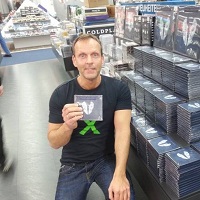

Our new Coldplaying.com on-going feature, The Coldplaying Fan Interviews involves shining the spotlight on Coldplay fans, across the globe. Our first interview featured Swedish Coldplayer, Linus. Now, we place the focus on a fan from Germany, Frank.
Frank is a very keen collector and infact the Admin of the 'CCC' ( Coldplay Collectors Club):

He tells us his Coldplay story, his live experiences, meeting Phil Harvey at Coldplay's HQ and more!
Read the full interview with Frank, here
---------
The Coldplaying app
It's here! The very latest Coldplay news, updates, live chat, downloads & more, via your Android phone, iPad or iPhone.
If you have the app already, please introduce yourself on the 'Say Hello!' section and remember to rate us on the Google Play/iTunes store :)
Coldplay Live/Shows/Concerts/Setlists/Gigs 2015
There are no Coldplay concerts scheduled so far. Coldplay will headline a 'Why Not People?' show, believed to be sometime this year.
For 2015 live rumours & gossip, please check out our rumours section.
Upcoming Coldplay Events
Comedy sketch for Red Nose Day on NBC - 21st May
Fansites
Check out our Coldplaying accounts on Facebook, Twitter and Instagram! (ENG)
Other popular fansites, who we recommended to follow:
Coldplayzone (IT)
The Atlas Project (ENG)
ColdplayCorner (FR)
Coldplace EU (PL)
Recommended Comments