Skip to content
View in the app

A better way to browse. Learn more.

Coldplaying

A full-screen app on your home screen with push notifications, badges and more.

To install this app on iOS and iPadOS
  1. Tap the Share icon in Safari
  2. Scroll the menu and tap Add to Home Screen.
  3. Tap Add in the top-right corner.
To install this app on Android
  1. Tap the 3-dot menu (⋮) in the top-right corner of the browser.
  2. Tap Add to Home screen or Install app.
  3. Confirm by tapping Install.

ElisedeSheltie

Members
  • Joined

  • Last visited

  1. Hi Alex, could you resend the file above containing the audio sample of the Kawai Ex Pro that you tweaked? It'd be great if you could share the tweaks also. Thanks!
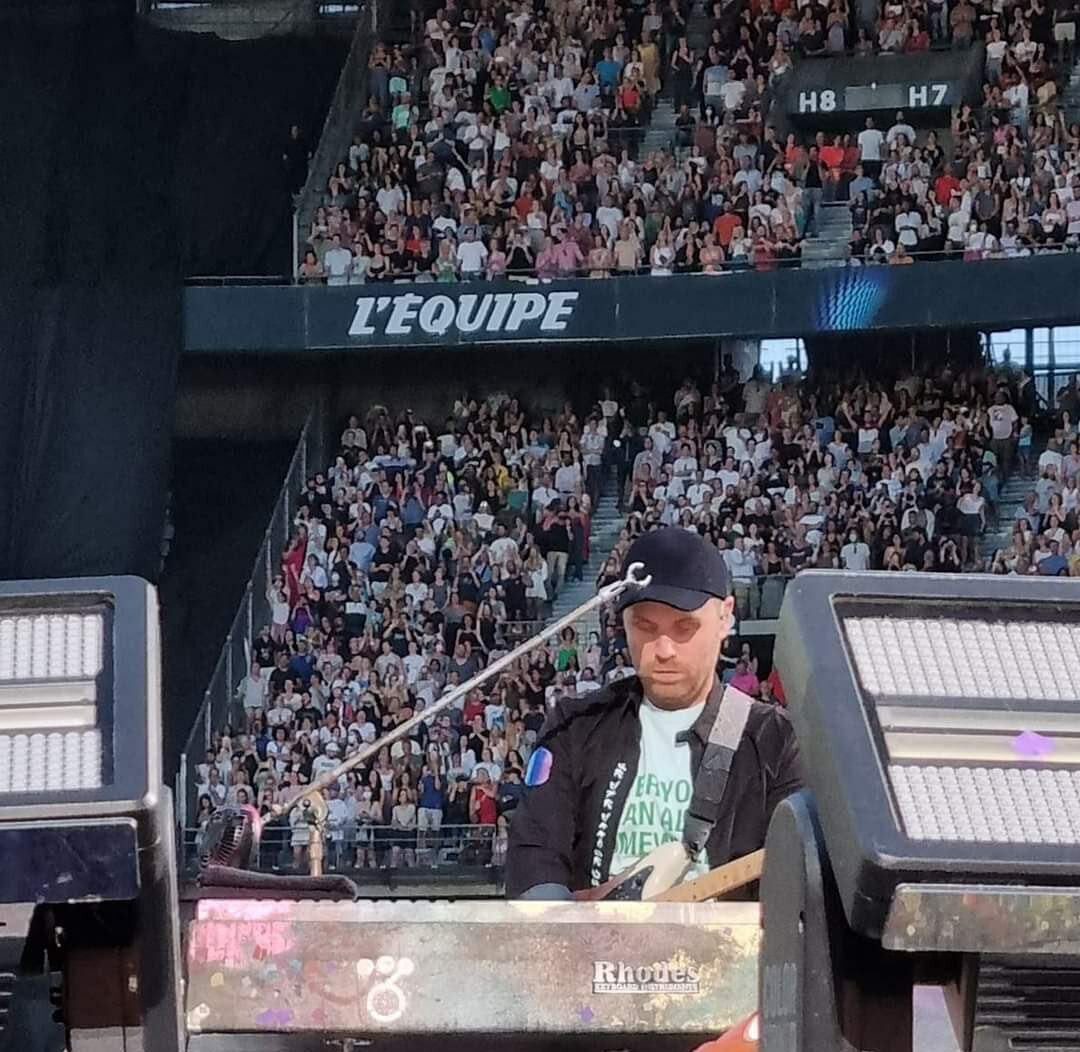
  2. My best guess is the RHODES MK8, however that's the first result that popped up on Google when I searched 'Rhodes Keyboard'. Also, it's interesting they use this electric piano as a midi controller for the B Stage during the MOTS Tour concerts, but they might have to use it for the electric piano sound for Let Somebody Go, although Chris plays it with a bright piano sound instead nowadays. Thoughts?

Account

Navigation

Search

Search

Configure browser push notifications

Chrome (Android)
  1. Tap the lock icon next to the address bar.
  2. Tap Permissions → Notifications.
  3. Adjust your preference.
Chrome (Desktop)
  1. Click the padlock icon in the address bar.
  2. Select Site settings.
  3. Find Notifications and adjust your preference.