
Skip to content
View in the app

A better way to browse. Learn more.

Coldplaying

A full-screen app on your home screen with push notifications, badges and more.

To install this app on iOS and iPadOS
  1. Tap the Share icon in Safari
  2. Scroll the menu and tap Add to Home Screen.
  3. Tap Add in the top-right corner.
To install this app on Android
  1. Tap the 3-dot menu (⋮) in the top-right corner of the browser.
  2. Tap Add to Home screen or Install app.
  3. Confirm by tapping Install.

volcanomaki

Members
  • Joined

  • Last visited

Everything posted by volcanomaki

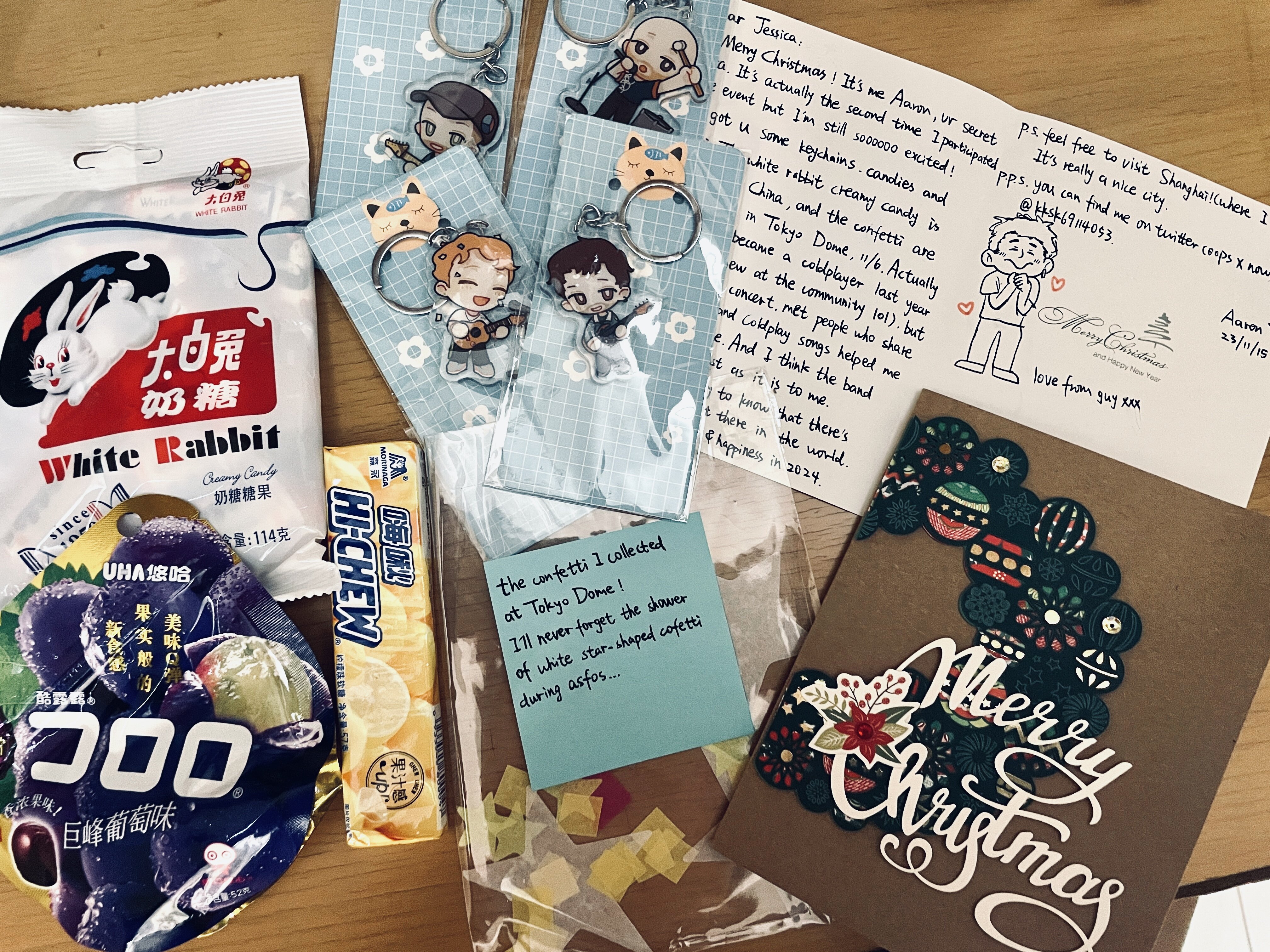
  1. Today I received my first ever package from Shanghai and also first ever Secret Santa!! Thank you sooo much to Aaron @aAron_winchest for sending these all the way to Jakarta, Indonesia! 💚 The keychains are the CUTESTTTTT ever!!!! I'm so happy that this platform has been giving us the opportunity to connect all around the world and it feels so great to know you share the same interest & love towards a band with the best community you could've ever asked for. Grateful! Truly is one big band, one big family! Thank you Coldplaying! Regards, Jess <3
  2. excited to join for the first time! ☺️

Account

Navigation

Search

Search

Configure browser push notifications

Chrome (Android)
  1. Tap the lock icon next to the address bar.
  2. Tap Permissions → Notifications.
  3. Adjust your preference.
Chrome (Desktop)
  1. Click the padlock icon in the address bar.
  2. Select Site settings.
  3. Find Notifications and adjust your preference.