
Skip to content
View in the app

A better way to browse. Learn more.

Coldplaying

A full-screen app on your home screen with push notifications, badges and more.

To install this app on iOS and iPadOS
  1. Tap the Share icon in Safari
  2. Scroll the menu and tap Add to Home Screen.
  3. Tap Add in the top-right corner.
To install this app on Android
  1. Tap the 3-dot menu (⋮) in the top-right corner of the browser.
  2. Tap Add to Home screen or Install app.
  3. Confirm by tapping Install.

[2011-07-09] T in the Park, Balado, Kinross, Scotland [1080i | 53.4Mb/s]

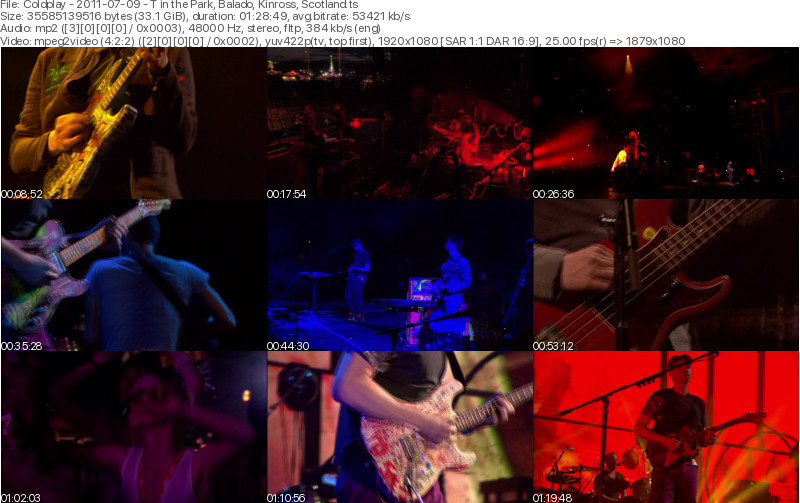
2 Screenshots

Coldplay
T in the Park
Balado
Kinross, Scotland
July 9, 2011

Lineage: 1.0W (Thor 6) > Unknown > feed.ts

Video: MPEG2 Video 1920x1080i 16:9 50.4 Mb/s 25.00 fps 8-bit 4:2:2
Audio: MP2 384 Kbps 48.0 KHz stereo

Setlist:
01. Mylo Xyloto
02. Hurts Like Heaven
03. Yellow
04. In My Place
05. Major Minus
06. Lost!
07. The Scientist
08. Shiver
09. Violet Hill
10. God Put a Smile Upon Your Face
11. Everything's Not Lost
12. Us Against The World
13. Politik
14. Viva la Vida
15. Charlie Brown
16. Life Is For Living

Encore:
17. Clocks
18. Fix You (with "Why Does It Always Rain on Me" snippet)
19. Every Teardrop is a Waterfall

Media Info:


General


ID                                       : 1 (0x1)
Format                                   : MPEG-TS
File size                                : 33.1 GiB
Duration                                 : 1 h 28 min
Overall bit rate mode                    : Variable
Overall bit rate                         : 53.4 Mb/s

Video
ID                                       : 514 (0x202)
Menu ID                                  : 1 (0x1)
Format                                   : MPEG Video
Format version                           : Version 2
Format profile                           : 4:2:2@High
Format settings                          : CustomMatrix / BVOP
Format settings, BVOP                    : Yes
Format settings, Matrix                  : Custom
Format settings, GOP                     : M=3, N=12
Format settings, picture structure       : Frame
Codec ID                                 : 2
Duration                                 : 1 h 28 min
Bit rate mode                            : Variable
Bit rate                                 : 50.4 Mb/s
Maximum bit rate                         : 90.0 Mb/s
Width                                    : 1 920 pixels
Height                                   : 1 080 pixels
Display aspect ratio                     : 16:9
Frame rate                               : 25.000 FPS
Color space                              : YUV
Chroma subsampling                       : 4:2:2
Bit depth                                : 8 bits
Scan type                                : Interlaced
Scan order                               : Top Field First
Compression mode                         : Lossy
Bits/(Pixel*Frame)                       : 0.972
Time code of first frame                 : 00:00:00:00
Time code source                         : Group of pictures header
Stream size                              : 31.3 GiB (94%)

Audio
ID                                       : 670 (0x29E)
Menu ID                                  : 1 (0x1)
Format                                   : MPEG Audio
Format version                           : Version 1
Format profile                           : Layer 2
Codec ID                                 : 3
Duration                                 : 1 h 28 min
Bit rate mode                            : Constant
Bit rate                                 : 384 kb/s
Channel(s)                               : 2 channels
Sampling rate                            : 48.0 kHz
Frame rate                               : 41.667 FPS (1152 SPF)
Compression mode                         : Lossy
Delay relative to video                  : 5 ms
Stream size                              : 244 MiB (1%)
Language                                 : English

Account

Navigation

Search

Search

Configure browser push notifications

Chrome (Android)
  1. Tap the lock icon next to the address bar.
  2. Tap Permissions → Notifications.
  3. Adjust your preference.
Chrome (Desktop)
  1. Click the padlock icon in the address bar.
  2. Select Site settings.
  3. Find Notifications and adjust your preference.