


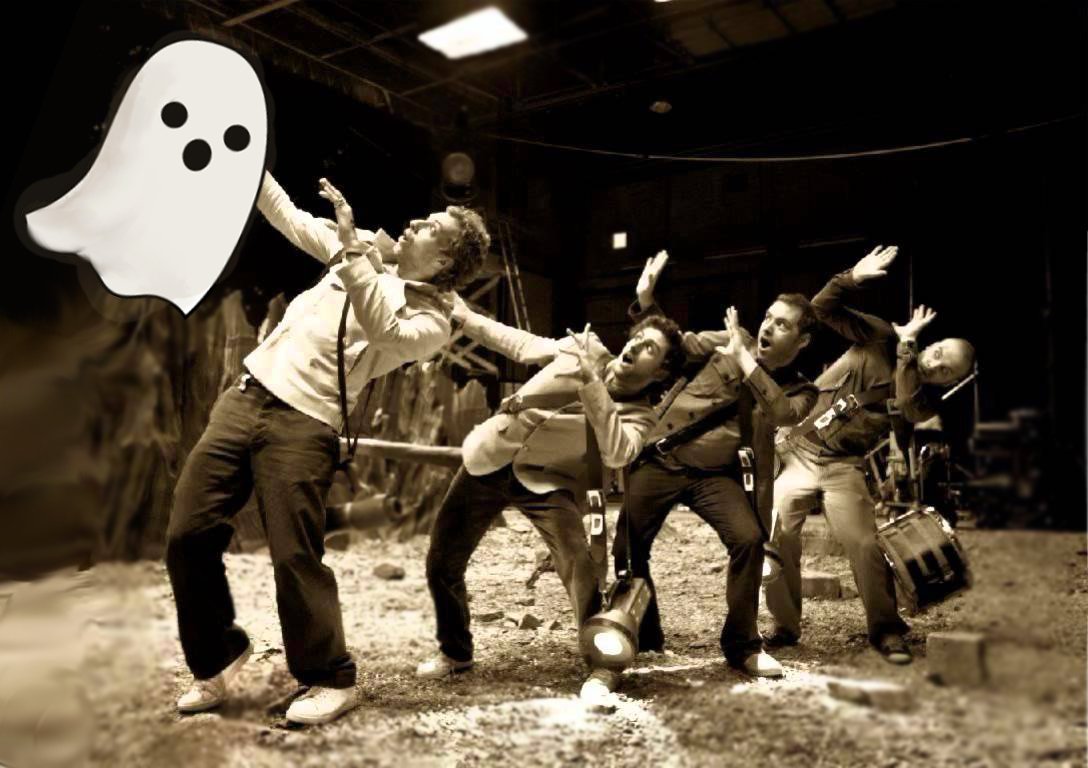

It's time to reveal the winner of our #GhostStoryDay competition! In case you missed it, we're celebrating the wonderful and haunting Coldplay track, 'Ghost Story' today, on Halloween by hosting a spooky artwork competition!
We've been overwhelmed by the entries so thank you very much for your effort. The winning graphic was a simple addition to an existing snapshot of
[caption id=attachment_50903" align="alignnone" width="640] AMDB9[/caption]
Here's the compilation of your wonderful entries! The name of the entrant is listed in the bottom right corner (A massive thank you to Christa for running the competition and compiling these!)
[caption id=attachment_50891" align="alignnone" width="918] portuguesecoldplayergs[/caption]
[caption id=attachment_50890" align="alignnone" width="640] sandra[/caption]
[caption id=attachment_50892" align="alignnone" width="640] politikiangs[/caption]
[caption id=attachment_50889" align="alignnone" width="576] sellazelgs[/caption]
[caption id=attachment_50894" align="alignnone" width="640] nie2[/caption]
[caption id=attachment_50896" align="alignnone" width="900] martina[/caption]
[caption id=attachment_50895" align="alignnone" width="640] nie11[/caption]
[caption id=attachment_50893" align="alignnone" width="640] OdysseasTS[/caption]
[caption id=attachment_50897" align="alignnone" width="640] isable1[/caption]
[caption id=attachment_50898" align="alignnone" width="640] isabel2[/caption]
[caption id=attachment_50900" align="alignnone" width="330] Luci&lia[/caption]
[caption id=attachment_50901" align="alignnone" width="640] coldplayslove[/caption]
[caption id=attachment_50902" align="alignnone" width="960] #GhostStoryDay Poem by I Ran Away[/caption]
[caption id=attachment_50907" align="alignnone" width="600] archderpgs[/caption]
Recommended Comments