Flugelhorn
Members
-
Joined
-
Last visited
-
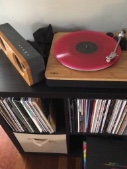
My vinyl package of standard + infinity station version finally arrived from UK to Australia. Standard is a nice purple coloured vinyl with multi coloured splooshes? finally get to hear it in all its crackly beauty ?
-
Officially up on Spotify now in Australia and one would assume NZ ?
-
I’m on listen number three and liking it so far. Glad I avoided everything outside of the three singles as there wouldn’t be many surprises left otherwise. In fact it would’ve been nice to be hearing Coloratura for the first time as a part of the album. Really like Humankind and Potp. Coloratura still a masterpiece and must say I’m enjoying my universe more in the context of the album as a whole.
-
Still in love. Have only stopped listening to it for the thousandth time to revisit the album Planetarium by Sufjan Stevens if you like the ethereal ambience of Coloratura I highly recommend a listen. A lot of similarities including the albums concept.
-
Have just signed up so I could give my response to Coloratura. First listen, wow, just left me speechless. Had to go back and listen again. 2nd listen loved it even more. Hearing so many different elements of coldplay across there career. Hearing bits of all my other favourite acts too, like Beatles, Radiohead, Queen, Pink Floyd, Bjork, Kraftwerk. Onto my forth listen now, this is one of the strongest songs they have ever made. A true masterpiece. Can’t wait for the rest of the album.