kenrick95
Members
-
Joined
-
Last visited
Everything posted by kenrick95
-
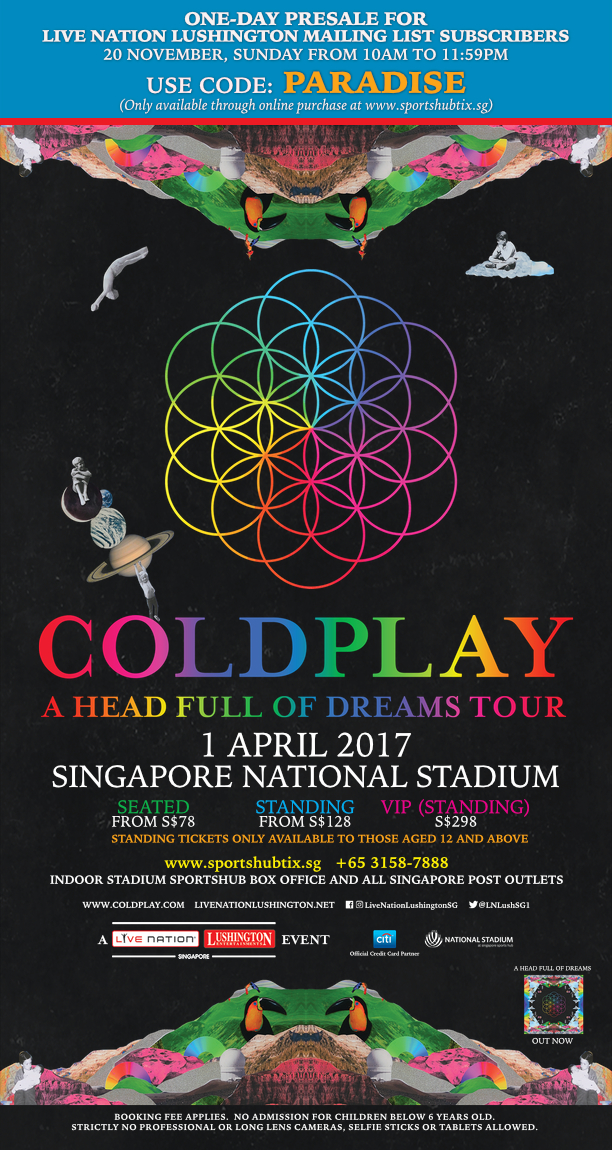
Apparently the two pre-sales sold out in just an hour. https://www.facebook.com/video.php?v=217984565292711 Mobile Link: https://www.facebook.com/events/216526268771874/permalink/217984565292711/ https://www.facebook.com/video.php?v=219375645153603 Mobile Link: https://www.facebook.com/events/216526268771874/permalink/219375645153603/
-
http://www.sportshub.com.sg/sportshubtix/Pages/Coldplay-2017.aspx I think you need a Citibank credit card subscription to be notified about the first pre-sale, meanwhile for the 2nd one, it is said that you just need to subscribe to Live Nation Lushington mailing list to get this pre-sale: http://livenationlushington.net/Mobile Link: https://www.facebook.com/coldplay/videos/10157791469555253/ They also have updated http://coldplay.com/tour/ tickets are on sale starting 21/24 Nov 2016. I'm so excited!In order of appearance, they are: Singapore, Philippines, Taiwan, South Korea, Japan.Hi, I'm from Medan, Indonesia. Thanks :)