Fali
Members
-
Joined
-
Last visited
-
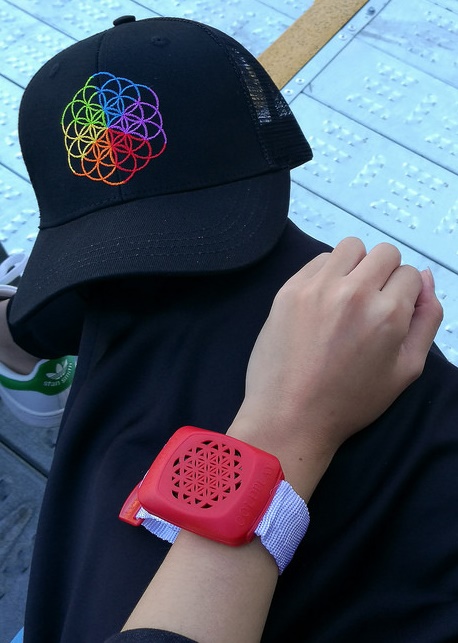
Hi Coldplayers. I need a small help from someone from you. I was on Coldplay concert at wien and i wanted to buy Coldplay - A head full of Dreams cap (foto in attachment) in merch store at the stadium. Unfortunately i lost my wallet so a dint have money for that (it costs around 35 E). I check on the internet but this cap it not possible to buy at COldplay official merch store. So if somone from you was so helpful and buy this cap for me, i can send a money for cap and also for post fees if you are able to send me to Czech republic. If someone from you can help me pls send me a message. Thank you very much and enjoy a great concert :)
-
Hi Coldplayers. I need a small help from someone from you. I was on Coldplay concert at wien and i wanted to buy Coldplay - A head full of Dreams cap (foto in attachment) in merch store at the stadium. Unfortunately i lost my wallet so a dint have money for that (it costs around 35 E). I check on the internet but this cap it not possible to buy at COldplay official merch store. So if somone from you was so helpful and buy this cap for me, i can send a money for cap and also for post fees if you are able to send me to Czech republic. If someone from you can help me pls send me a message. Thank you very much and enjoy a great concert :)