


Skip to content
View in the app

A better way to browse. Learn more.

Coldplaying

A full-screen app on your home screen with push notifications, badges and more.

To install this app on iOS and iPadOS
  1. Tap the Share icon in Safari
  2. Scroll the menu and tap Add to Home Screen.
  3. Tap Add in the top-right corner.
To install this app on Android
  1. Tap the 3-dot menu (⋮) in the top-right corner of the browser.
  2. Tap Add to Home screen or Install app.
  3. Confirm by tapping Install.

strawberryhill42

Members
  • Joined

  • Last visited

  1. The movie is not available in Poland, so I can't check it too :( But I'm almost sure (I just can't find evidence haha) that I saw something like this, but with more languages in subtitles section. Polish, French, Spanish, definitely was there. Here is only Danish, but that is kinda weird too, because movie is not supposed to be available here. I'm pretty confused now :joy:
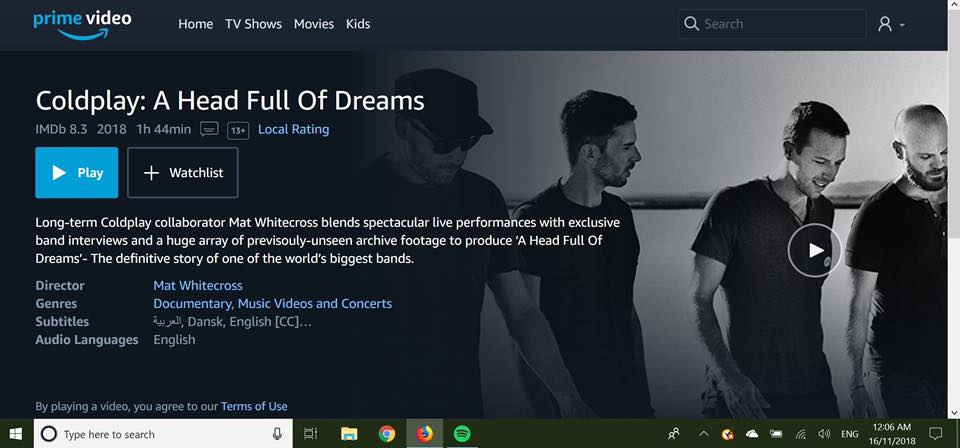
  2. Does anybody have access to subtitles in other languages?:blush: For me English is okay, but my family really want to see film too Polish one would be perfect.
  3. Hey guuys :) could I have the 8 gb link please? or torrent link, or both haha

Account

Navigation

Search

Search

Configure browser push notifications

Chrome (Android)
  1. Tap the lock icon next to the address bar.
  2. Tap Permissions → Notifications.
  3. Adjust your preference.
Chrome (Desktop)
  1. Click the padlock icon in the address bar.
  2. Select Site settings.
  3. Find Notifications and adjust your preference.
