




coldplaymakesmyday
Members
-
Joined
-
Last visited
Everything posted by coldplaymakesmyday
-
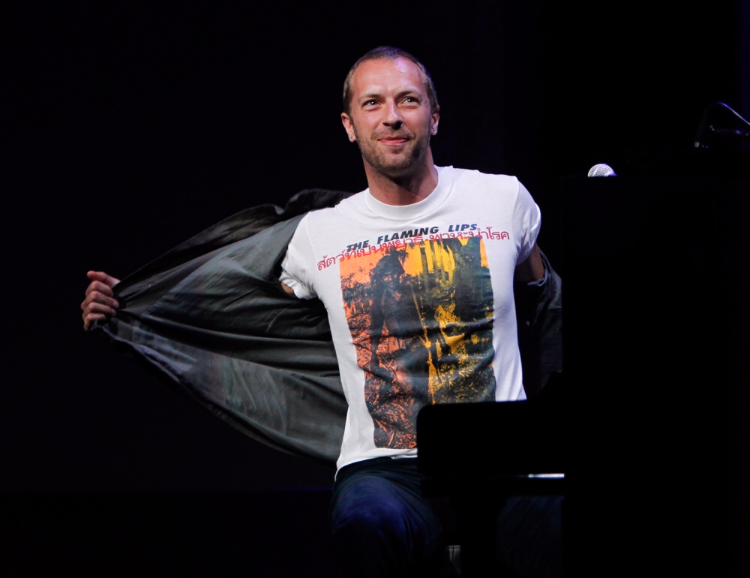
He looks like a supermodel in this picture. Look at that pose!
-
#570 :jonny::chris:

-
Look at those gorgeous curls :heart_eyes:
 Violet Hill@Roadie42 Cool username! :thumbsup:So far away (A phrase that's both an Apparatjik lyric and Coldplay lyric!)Queen of SpainLukas and Lhuna, two songs that would make cool namesJONNY BOY!!!Home, home, where I wanted to roamZero Coldplay songs start with z, so there aren't any bops that begin with that letter.Warning Sign is definitely a bop, especially when it's played live.Talk is a bop that should be played againProspekt's March is wayyyyyyyyyyyyy betterNMKMFOTG did as wellLiterally every Coldplay song ever written is a bop (With the exception of a few songs such as SJLT, but I don't consider that a real Coldplay song)













Account
Navigation
Search
Configure browser push notifications
Chrome (Android)
- Tap the lock icon next to the address bar.
- Tap Permissions → Notifications.
- Adjust your preference.
Chrome (Desktop)
- Click the padlock icon in the address bar.
- Select Site settings.
- Find Notifications and adjust your preference.
Safari (iOS 16.4+)
- Ensure the site is installed via Add to Home Screen.
- Open Settings App → Notifications.
- Find your app name and adjust your preference.
Safari (macOS)
- Go to Safari → Preferences.
- Click the Websites tab.
- Select Notifications in the sidebar.
- Find this website and adjust your preference.
Edge (Android)
- Tap the lock icon next to the address bar.
- Tap Permissions.
- Find Notifications and adjust your preference.
Edge (Desktop)
- Click the padlock icon in the address bar.
- Click Permissions for this site.
- Find Notifications and adjust your preference.
Firefox (Android)
- Go to Settings → Site permissions.
- Tap Notifications.
- Find this site in the list and adjust your preference.
Firefox (Desktop)
- Open Firefox Settings.
- Search for Notifications.
- Find this site in the list and adjust your preference.