




Stanz2500
Members
-
Joined
-
Last visited
Everything posted by Stanz2500
-
I'm ok with it being fishcake
-
Then what will Music of the Spheres be? They went to all the trouble to get it trademarked and very shorty after it was registered, we got alien radio.
-
https://alienradio.fm/wp-content/uploads/2021/04/ARFM-D561P.mp3 This one is funI've been listening to The Race in anticipation for this new release ?She posted in her story on instagram about Alien Radio. She tagged Coldplay, Rabbit hole, Alien Radio, AND Victor Cruise. This album art is gonna rock"I got my hands up shaking"
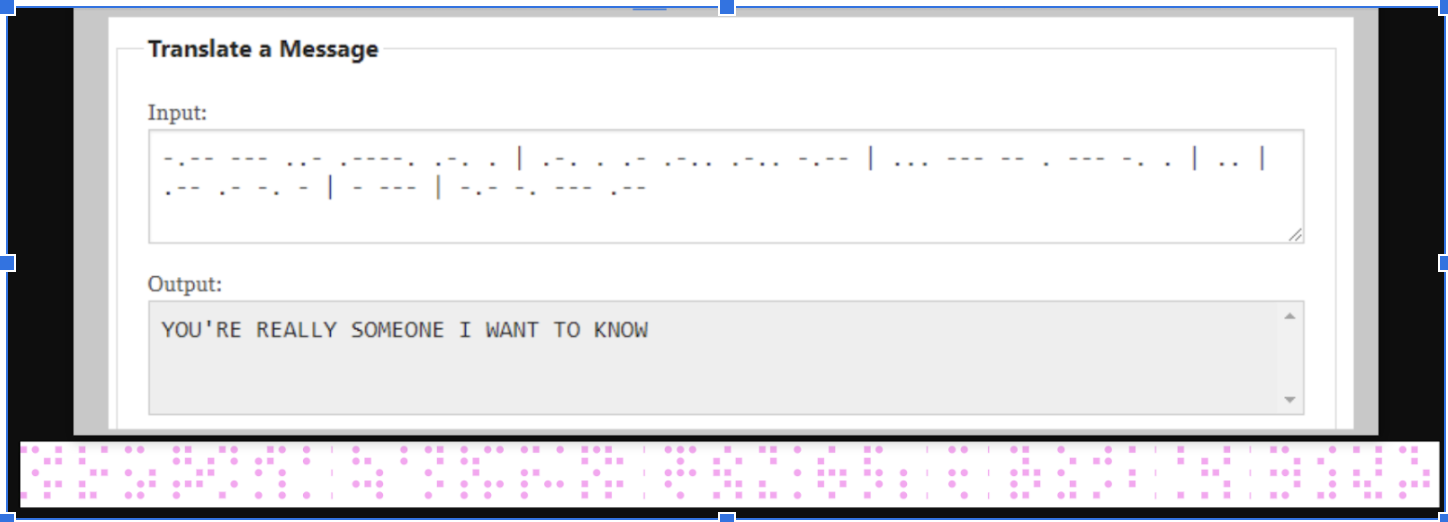
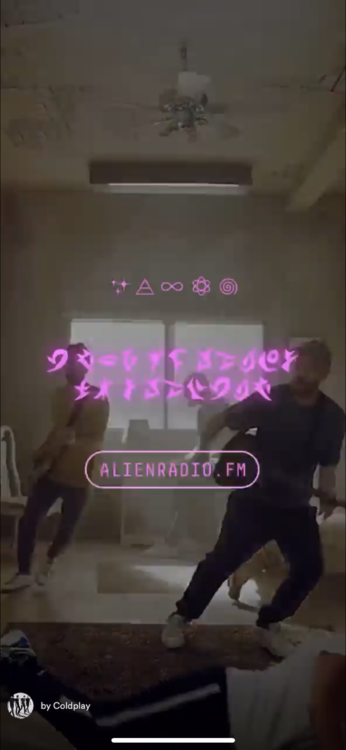 Alien Radio is back up! Update: New recordings!Oh yes, Just speculating that it'll all happen for this era with this BBC eventMaybe we get a new track that day on BBC. Then they'll probably redo their website with a new Music of the Spheres theme backed with an official release date for the album?It appears this happened at around midnight in Seoul. May happen at midnight in other places.What if this is a new story within the same universe?Awesome! This is good! I'm giddy!Very possible. Maybe we see a video appear in that open space?Yall, the dots on the side in ARFM have some that are solid and some that are open. Yesterday there were 3 solid and 7 open. Now its 4 solid and 6 open.Would it be worth it to look into when these signals were originally recorded? Maybe a year could point us somewhere?Think about it. Say we are the aliens listening into radio signals from Earth. Earth would be lightyears away so we would be listening to old signals. Thats probably why the audio on Alien Radio is old audio. We are hearing as if we are aliens.Maybe the sounds are a countdown to the album?Yes! One of them looks like the Big dipper.(Edit) I thought I found something. please move on! lol YOU GUYSDo we have a translation key?I think I'm gonna pee my pants!Could that nice little snippet from the Clubhouse interview be "Bless"?








Account
Navigation
Search
Configure browser push notifications
Chrome (Android)
- Tap the lock icon next to the address bar.
- Tap Permissions → Notifications.
- Adjust your preference.
Chrome (Desktop)
- Click the padlock icon in the address bar.
- Select Site settings.
- Find Notifications and adjust your preference.
Safari (iOS 16.4+)
- Ensure the site is installed via Add to Home Screen.
- Open Settings App → Notifications.
- Find your app name and adjust your preference.
Safari (macOS)
- Go to Safari → Preferences.
- Click the Websites tab.
- Select Notifications in the sidebar.
- Find this website and adjust your preference.
Edge (Android)
- Tap the lock icon next to the address bar.
- Tap Permissions.
- Find Notifications and adjust your preference.
Edge (Desktop)
- Click the padlock icon in the address bar.
- Click Permissions for this site.
- Find Notifications and adjust your preference.
Firefox (Android)
- Go to Settings → Site permissions.
- Tap Notifications.
- Find this site in the list and adjust your preference.
Firefox (Desktop)
- Open Firefox Settings.
- Search for Notifications.
- Find this site in the list and adjust your preference.