M Marks The Spot
Members
-
Joined
-
Last visited
-
Arabesque vs Sparks
-
-
Speed of Sound vs Church
-
Speed of Sound vs All My Love
-
They've performed together two times at least! M Marks The Spot - the display name of one of the band's fans
-
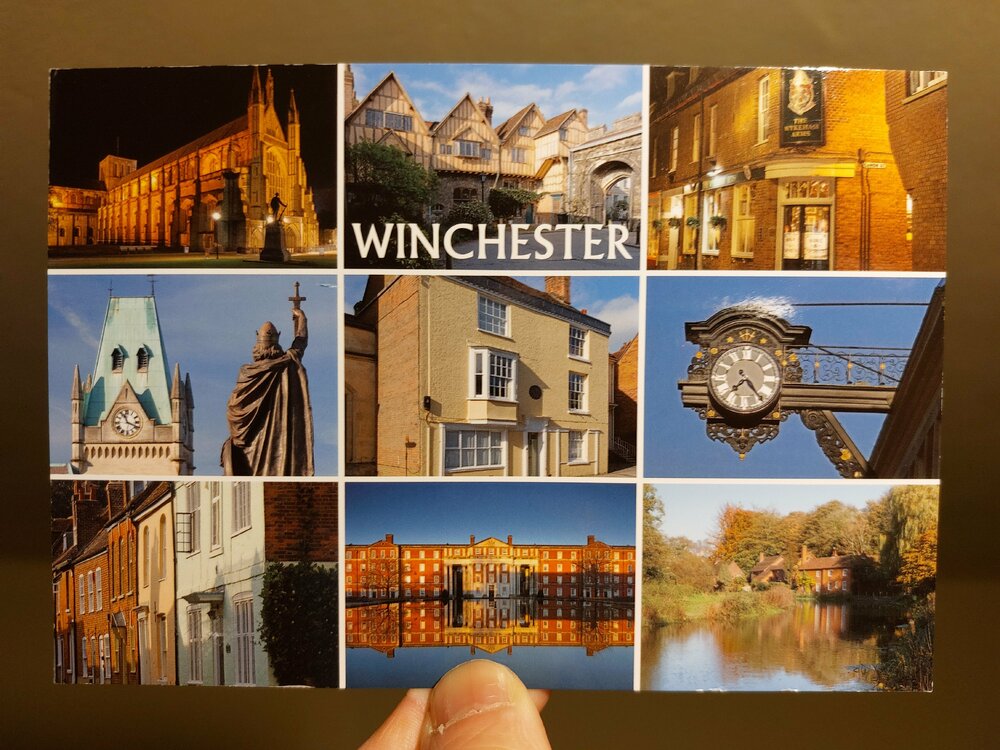
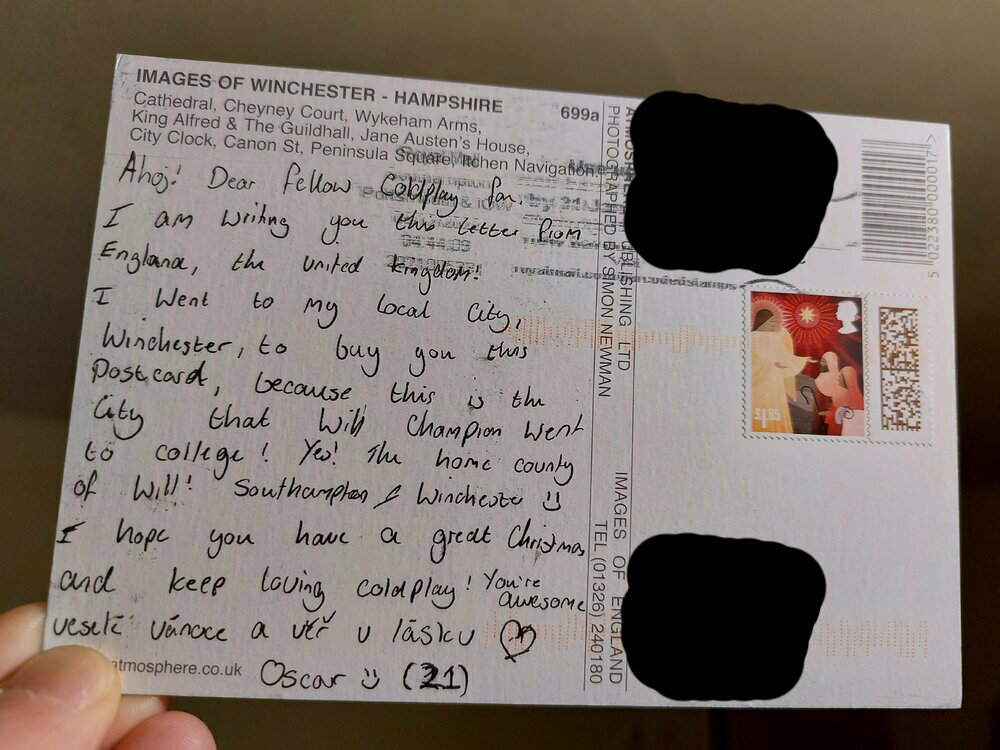
Hello, everyone! 👋 Much to my surprise and delight, I found a parcel from my Secret Santa when I came home yesterday evening. I received a beautiful postcard from the United Kingdom. It's a collage of sights that you can see in Winchester. Interestingly, this city lies in the county where Will Champion comes from! Oscar, thank you very much for this present! I truly appreciate it. I'm also grateful that I could take part in this wonderful event ❤️ P.S. Could I obtain Oscar's forum username, please? I cannot figure that out 🙏
-
Hello there! I'm delighted and relieved to know that the parcel arrived in your place safe and sound. It means a lot to me that you enjoyed the presents! 🙏❤️ I hope that you've had a wonderful holiday season so far, folks. Happy New Year to you, too! 🎉
-
Ink
-
Christopher Anthony John Martin
-
Will is not only an auxiliary verb
-
One I Love vs High Speed
-
Lovers in Japan vs Green Eyes
-
Us Against the World
-
Guns vs People of the Pride
-
Swallowed in the Sea vs Every Teardrop Is a Waterfall