



Nie
Members
-
Joined
Everything posted by Nie
-
Damn, I'm busted. [emoji1]
-
??? ????? ???? ?? ??? ????? ???? ?? ??? ??? ?? ??? ???? ????? ??? ???? ??????? ???? ??? ????? ?? ???? ??? ???
-
Are you in the correct thread?
-
-
Under the surface trying to break through Deciphering the codes in you I need a compass draw me a map
-
Y, the letter that's connected to X
-
A Whisper
-
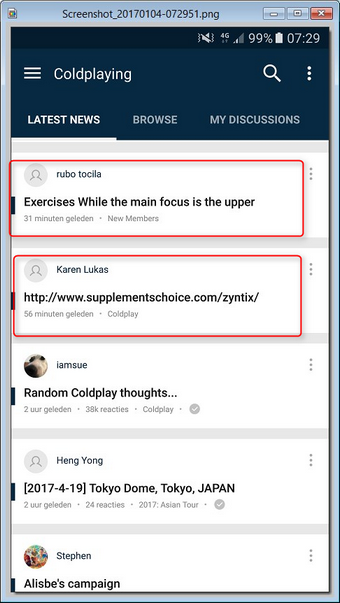
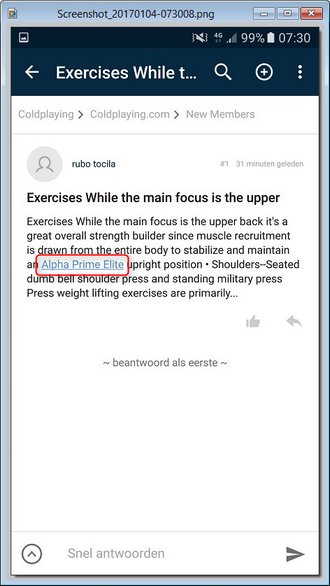
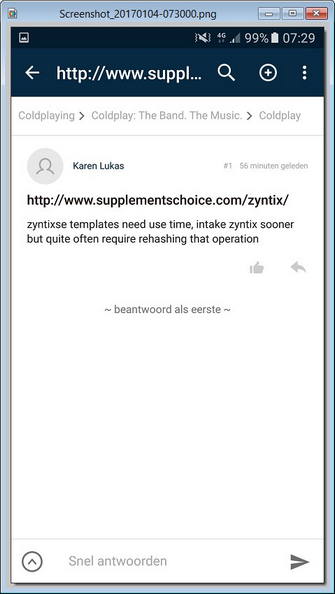
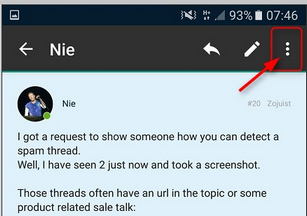
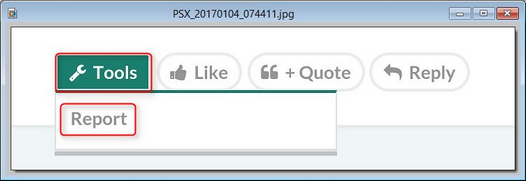
I got a request to show someone how you can detect a spam thread. Well, I have seen 2 just now and took a screenshot. Those threads often have an url in the topic or some product related sale talk: When you open the thread you most certainly see an other url (which I wouldn't click on) or have contents that make no Coldplay sense at all :) So just use the report function: In the app you find it under the 3 dots (in the right upper corner) In the browser you can find it by clicking on Tools If 2 members on the forums report it, the thread will be removed automatically. :)
-
I have "cought" 2 in action again. I will send you a PM with some screenshots. [emoji4] Edit: I have made a little explaination post in this thread: https://coldplaying.com/forum/index.php?threads/new-report-feature-you-can-now-remove-spam.103804/#post-5861921
-
Indeed, the lowercase g. Well you even don't have to guess, just click on my avatar.  ;)
-
Strawberry Swing
-
@I ran away [emoji1]
-
The same happened to me a few days ago [emoji1] Violet Hill
-
-
O is already mentioned, but I will add Fly On to my list. [emoji4] Fun
-
Ermmm, I think U is next [emoji1]
-
Ow, then I have to reconsider [emoji38] Although, if you think about it, then you are rewarding someone for leaving us... I think it is nicer to reward someone who is coming back. [emoji4]
-
Again?! Now my feet won't touch the ground
-
Sleeping Sun
-
I forgot to tell you how
-
Star shaped confetti
-
I know a few great musicians who can't read music. I don't think it's an obstacle, but it might be useful.
-
Actually, I don't think so
-
Happy Birthday @coolvivalavidafan [emoji322]
-
There is and I'm having fun reporting them. [emoji14]

