Skip to content
View in the app

A better way to browse. Learn more.

Coldplaying

A full-screen app on your home screen with push notifications, badges and more.

To install this app on iOS and iPadOS
  1. Tap the Share icon in Safari
  2. Scroll the menu and tap Add to Home Screen.
  3. Tap Add in the top-right corner.
To install this app on Android
  1. Tap the 3-dot menu (⋮) in the top-right corner of the browser.
  2. Tap Add to Home screen or Install app.
  3. Confirm by tapping Install.

New Fanmade Cover Art for Coldplay Songs

Featured Replies

5 similar threads merged. One thread would do, Mr. :)

  • Author

I apologize for all the spam, i guess all the threads that i had around the site got merged somehow :( lol


But yes, i did make all of these pieces recently and they are original!

feel free to use them, share them or whatever :)

  • Author
Again , it is great


but no need to spam it allover the forum.


And its old songs,no new covers..


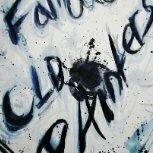
They are new, because I made them recently and they have never before been seen on the internet until now, except the Famous old Painters one

  • Author
HOLY CRAP IT'S THE FAMOUS OLD PAINTERS GUY!!! AMAZING


Yes, it is :) lol

I really like your paintings. :cheesy:

  • Author
I really like your paintings. :cheesy:

hah, thank you :P I'm glad they are even recognized at all

  • Author
Paintings are Amazing!!

Famous Old Painters one is the best!!


Thanks! :D

  • 1 year later...

Rainy Day and Cemeteries of London Cover ARTs


COL.jpg


2012_12_01114613.jpg


Hope you like it. :D

  • 1 year later...

Make some artworks for GS songs! :)

Create an account or sign in to comment

Account

Navigation

Search

Search

Configure browser push notifications

Chrome (Android)
  1. Tap the lock icon next to the address bar.
  2. Tap Permissions → Notifications.
  3. Adjust your preference.
Chrome (Desktop)
  1. Click the padlock icon in the address bar.
  2. Select Site settings.
  3. Find Notifications and adjust your preference.