Skip to content
View in the app

A better way to browse. Learn more.

Coldplaying

A full-screen app on your home screen with push notifications, badges and more.

To install this app on iOS and iPadOS
  1. Tap the Share icon in Safari
  2. Scroll the menu and tap Add to Home Screen.
  3. Tap Add in the top-right corner.
To install this app on Android
  1. Tap the 3-dot menu (⋮) in the top-right corner of the browser.
  2. Tap Add to Home screen or Install app.
  3. Confirm by tapping Install.

[2022-05-06] Cotton Bowl Stadium, Dallas, TX

Featured Replies

  • 6 months later...
  • 2 months later...

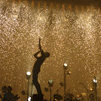
This was my first Coldplay concert in 6 years since Dallas 8.27.2016, plus this was also my 3rd Coldplay show and I gotta say, SO WORTH THE WAIT!!!! Something very special happened to me during this show. You know how they always say that the 3rd time is the charm? Well, the two shows before Dallas 5.6.2022....those being Dallas 6.23.2012 and Dallas 8.27.2016....I NEVER got the opportunity to bring home some confetti from a Coldplay concert. Well I can finally say that, during Dallas 5.6.2022....I FINALLY CAUGHT SOME COLDPLAY CONFETTI, BABY!!!! Oh it was the happiest moment of the night for me. Plus it was my Grandma's first ever Coldplay concert as well, she had a BLAST!!!!

Create an account or sign in to comment

Account

Navigation

Search

Search

Configure browser push notifications

Chrome (Android)
  1. Tap the lock icon next to the address bar.
  2. Tap Permissions → Notifications.
  3. Adjust your preference.
Chrome (Desktop)
  1. Click the padlock icon in the address bar.
  2. Select Site settings.
  3. Find Notifications and adjust your preference.