Skip to content
View in the app

A better way to browse. Learn more.

Coldplaying

A full-screen app on your home screen with push notifications, badges and more.

To install this app on iOS and iPadOS
  1. Tap the Share icon in Safari
  2. Scroll the menu and tap Add to Home Screen.
  3. Tap Add in the top-right corner.
To install this app on Android
  1. Tap the 3-dot menu (⋮) in the top-right corner of the browser.
  2. Tap Add to Home screen or Install app.
  3. Confirm by tapping Install.

Higher Power vs Music of The Spheres

Featured Replies

There's a debate in the main thread about whether the next album will be called Higher Power or Music of The Spheres. Until Higher Power's (unofficial) announcement) we've assumed that MOTS will be the album name. We also know that the next single will be called Higher Power. However, Higher Power (the single) has been strangely placed in the albums section of Coldplay's website. I have some theories:

  • We know that this is the start of a new 'era' as Coldplay have been rebranding themselves, but it is possible that until the official announcement of MOTS, they are putting Higher Power in the albums section as promotion for it.
  • MOTS is the old name for the album which has been superseded by Higher Power.
  • Higher Power is the name of the album and Music Of The Spheres is the name of something else. What it is, we don't know. Maybe a large-scale project that Coldplay have pioneered?

Personally I still think the album will be called Music Of The Spheres, but I have been wrong before.

I think the album will be titled MUSIC OF THE SPHERES. "Higher Power" is a song that is being released months in advance of the album. It's expected another single may be released in mid to late Summer, when the album is officially announced. Perhaps a "Best of..." album will include "Higher Power" on its track list. 

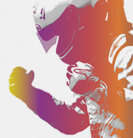
coldplay.higher.power.jpg

Create an account or sign in to comment

Account

Navigation

Search

Search

Configure browser push notifications

Chrome (Android)
  1. Tap the lock icon next to the address bar.
  2. Tap Permissions → Notifications.
  3. Adjust your preference.
Chrome (Desktop)
  1. Click the padlock icon in the address bar.
  2. Select Site settings.
  3. Find Notifications and adjust your preference.