



harrisonrules
Members
-
Joined
-
Last visited
Everything posted by harrisonrules
-
Sarcasm.
-
Breaking News Coldplay has released a 42 track triple album
-
Sex Shop ft The Weeknd
-
Most underrated imo
-
Gonna have to disagree they have several that are better IMO though Knights of Cydonia Bliss and Hysteria to name few My personal favorite is Muscle Museum
-
Why are there so many sex shops in Kaotica 3rd one is unclear but I see S and E in back and possibly X



-
Muse rocks
-
Picture it The year is 2047 and Coldplay has just released their 17 studio album that Chris claims will likely be their last

-
I'm kinda hoping they bring back some MX era songs that never saw the light of day Great Expectations Sex and Violence Etc
-
Up and Up vs Birds
-
Arabesque vs Up and Up
-
That's a song title ft country that they could run with it Welcome to Russian Sex Shop lmao
-
Any meaning behind that cause I couldn't find anything
-
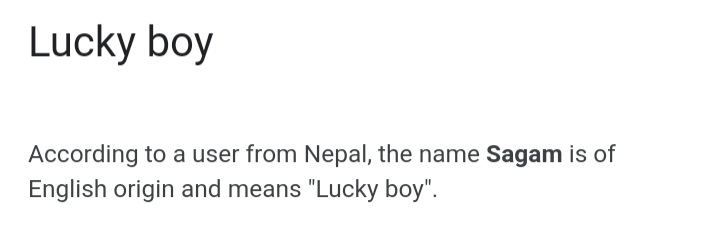
Nobody answered this but I will if you look closely the Kaotica is reverse and upside down behind Chris I rotated and flipped You clearly see SAGAM that could be magasin but I researched SAGAM and discovered this


-
I imagine Higher Power will be featured in an upcoming BMW commercial
-
The Power Of Action
-
Yes you are rightLol @IcebatofvalikinRRBZ8
 A common letter that shows up in video constantly is X Take a look at what I put together by simply rotating images
I found Repair top right
A common letter that shows up in video constantly is X Take a look at what I put together by simply rotating images
I found Repair top right Notice anything odd about this picture?
No
Notice anything odd about this picture?
No











Account
Navigation
Search
Configure browser push notifications
Chrome (Android)
- Tap the lock icon next to the address bar.
- Tap Permissions → Notifications.
- Adjust your preference.
Chrome (Desktop)
- Click the padlock icon in the address bar.
- Select Site settings.
- Find Notifications and adjust your preference.
Safari (iOS 16.4+)
- Ensure the site is installed via Add to Home Screen.
- Open Settings App → Notifications.
- Find your app name and adjust your preference.
Safari (macOS)
- Go to Safari → Preferences.
- Click the Websites tab.
- Select Notifications in the sidebar.
- Find this website and adjust your preference.
Edge (Android)
- Tap the lock icon next to the address bar.
- Tap Permissions.
- Find Notifications and adjust your preference.
Edge (Desktop)
- Click the padlock icon in the address bar.
- Click Permissions for this site.
- Find Notifications and adjust your preference.
Firefox (Android)
- Go to Settings → Site permissions.
- Tap Notifications.
- Find this site in the list and adjust your preference.
Firefox (Desktop)
- Open Firefox Settings.
- Search for Notifications.
- Find this site in the list and adjust your preference.