



harrisonrules
Members
-
Joined
-
Last visited
Everything posted by harrisonrules
-
I like it
-
They aren't
-
I have the snippet for now pm if you need it
-
It sounds so great I really think this songs gonna be awesome
-
Go go Coldplay website under Kaotican pronunciation and listen to R Sounds like Beluga lmao
-
https://www.audacy.com/music/alternative/chris-martin-reveals-next-coldplay-album-announcementNope just higher power according to geniusHoly freaking crap look what I just noticed MOTS cover photo its gonna happen and Coldplay hid it right in front of us even before higher power

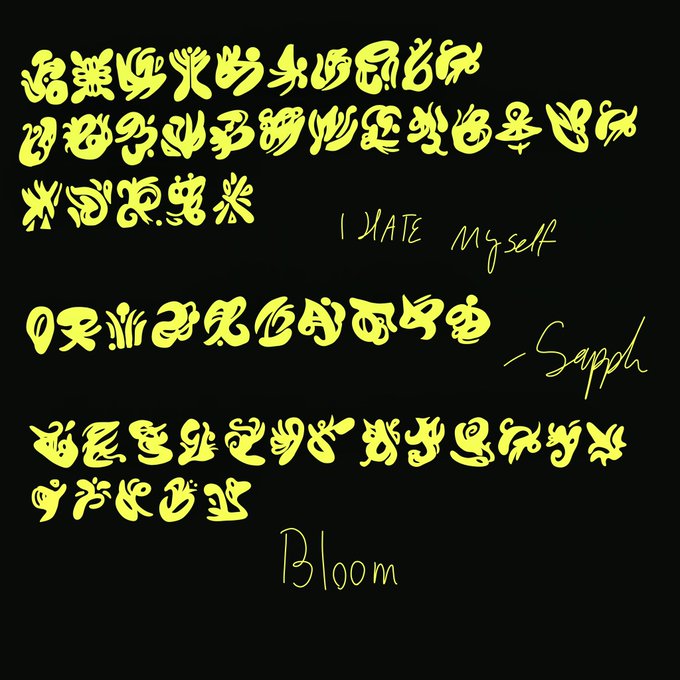
 PossiblyI think Dark Matter would have Chris deep voice like in YesShot in the dark here no pun intended There's 4 orange symbols Spells out 4!DM Track 4 DM Track 4 Dark Matter
 Look at the last three symbols from left to right it spells R5Q Rescue I think you might be right @driftaguy
Good call forgot about thatLets start making predictions about what ST stands for Should be fun and entertaining
Look at the last three symbols from left to right it spells R5Q Rescue I think you might be right @driftaguy
Good call forgot about thatLets start making predictions about what ST stands for Should be fun and entertaining Notice the AG Silver is AG on periodic table Maybe a song called Silver Lining
 Just a friendly reminder
 Perhaps Sex and Violence is a track
 Could you provide link please

















Account
Navigation
Search
Configure browser push notifications
Chrome (Android)
- Tap the lock icon next to the address bar.
- Tap Permissions → Notifications.
- Adjust your preference.
Chrome (Desktop)
- Click the padlock icon in the address bar.
- Select Site settings.
- Find Notifications and adjust your preference.
Safari (iOS 16.4+)
- Ensure the site is installed via Add to Home Screen.
- Open Settings App → Notifications.
- Find your app name and adjust your preference.
Safari (macOS)
- Go to Safari → Preferences.
- Click the Websites tab.
- Select Notifications in the sidebar.
- Find this website and adjust your preference.
Edge (Android)
- Tap the lock icon next to the address bar.
- Tap Permissions.
- Find Notifications and adjust your preference.
Edge (Desktop)
- Click the padlock icon in the address bar.
- Click Permissions for this site.
- Find Notifications and adjust your preference.
Firefox (Android)
- Go to Settings → Site permissions.
- Tap Notifications.
- Find this site in the list and adjust your preference.
Firefox (Desktop)
- Open Firefox Settings.
- Search for Notifications.
- Find this site in the list and adjust your preference.