BiggerStronger
Members
-
Joined
-
Last visited
Everything posted by BiggerStronger
-
Coldplay are currently staying at a resort in Koh Samui, Thailand. I know this because my family friend is also staying at the same resort!
-
Hey guys, I got 2 separate tickets for this show in 2 separate sections and I need some advice on which one to go for. Option 1 (Section A5, Row 27, Seat 1) or Option 2 (Section B3, Row 17, Seat 1)

-
I did not actually, and I even went back a year later with another letter but still no response. :( One day...
-
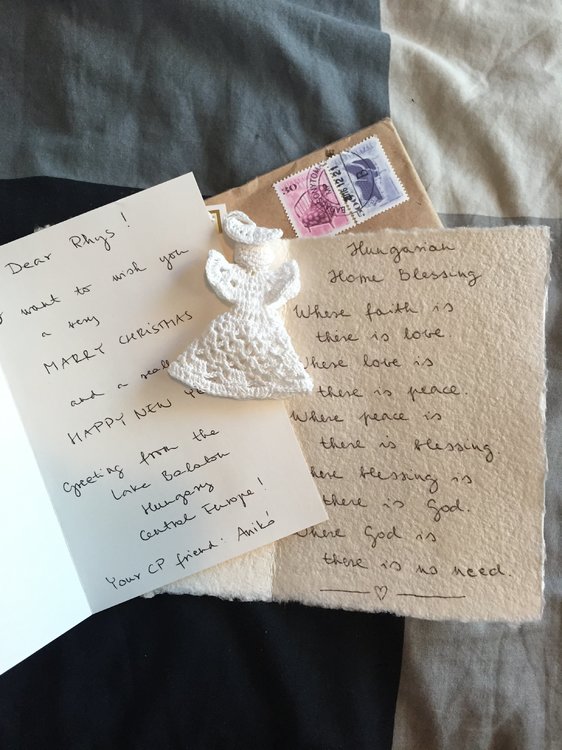
Got my gift today from Hungary! Thank you Aniko!
-
Ranking: 1. AHFOD 2. Viva 3. MX 4. GS 5. X&Y 6. AROBTTH 7. Parachutes Best song of the album for me: Up&Up Worst song: Fun Song that I like more now: AHFOD Song that I like less now: XMTS
-
Mila Furstova (Ghost Stories cover artist) is releasing one This pic was taken inside the Bakery so it's cool to see what's on the shelf (is that the Parachutes globe on the top?)
-
Is it this?
-
New album out October 7th, here's the artwork: To be honest it looks more like a cover for a One Direction album
-
Thank you! I was sitting on the floor for this show and there was so much confetti left over after the show (on the chairs for example) so I just picked that up and stuffed it in my pocket
-
I had a love button themed birthday cake today (and yes that is Coldplay confetti!)
-
I booked through VIP Nation on their website
-
Thirteenth row and my seat was right against the runway!
-
Yes! Your turn
-
Blue Room edition doesn't have a music video (I think), so no
-
This song is track #2 on an EP, has a music video but has never been played live.
-
I Ran Away? :p
-
Finally had some time to sort through some of my pics of the night, enjoy...
-
Yeah you can book through their website
-
I booked them through VIP Nation! On this tour I'm quite sure they reserve a lot of the front seats for VIP ticket holders. It's funny because the package I bought said I would be seated somewhere in rows 15-26, but then my ticket said row 13!
-
They used this song at the Buffalo show a few days ago! But it was actually played in between the two support act sets.
-
Also at one point Chris asked, "how many people came from Canada?" and I swear like 70% of the crowd cheered!
-
I just stayed by the stage for a few mins after the show ended, then saw Miller walk down the runway with a setlist looking for someone to give it to. I waved and when he noticed me I just kept saying "please?" (kind of gave him puppy dog eyes too :laugh4:). He then pointed towards me and asked one of the arena security guards to hand me the setlist!
-
Chris made eye contact with me, waved and asked "are you ok?" The man standing RIGHT NEXT TO ME had his phone taken by Chris during Always In My Head My parents were sitting three rows in front the C-Stage and high fived the band members I GOT A SETLIST!! At the end of the show from a roadie who I believe was Miller (he was a bald guy with glasses?)
-
I'm thirteen rows back, right against the runway!!!
-
I don't know but it really gives me goosebumps... like that feeling that something's about to happen