Skip to content
View in the app

A better way to browse. Learn more.

Coldplaying

A full-screen app on your home screen with push notifications, badges and more.

To install this app on iOS and iPadOS
  1. Tap the Share icon in Safari
  2. Scroll the menu and tap Add to Home Screen.
  3. Tap Add in the top-right corner.
To install this app on Android
  1. Tap the 3-dot menu (⋮) in the top-right corner of the browser.
  2. Tap Add to Home screen or Install app.
  3. Confirm by tapping Install.

Best Live Act 2015

Featured Replies

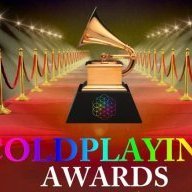
Ladies and gentlemen, now the result for the Best Live Act of 2015 award, can I have a drum roll please

14j3evs.jpg


The winner is U2


https://www.youtube.com/watch?v=id=BqRbGV3kn-Y;t=18


[parsehtml]<iframe src="https://embed.spotify.com/?uri=spotify%3Aartist%3A51Blml2LZPmy7TTiAg47vQ" width="300" height="380" frameborder="0" allowtransparency="true"></iframe>[/parsehtml]

Congrats on your victory

U2 as winner! So well-deserved award. I am looking forward to watching on TV the U2 show from a Paris concert - I am quite sure that it is the U2 concert at which the terror-hit band the Eagles of the Death Metal is onstage with U2. To be shown on both Danish and Norwegian TV around New Year.


Congratulations, U2.

Can't believe they didn't pick up their award.


I can pick it instead of them. Like in a sports competition for any one participating. Thanks, clapidy clap, oh and let`s shake hands with every competitor as well, well done, better luck next time, if you happen to join the same competition as I did

Create an account or sign in to comment

Account

Navigation

Search

Search

Configure browser push notifications

Chrome (Android)
  1. Tap the lock icon next to the address bar.
  2. Tap Permissions → Notifications.
  3. Adjust your preference.
Chrome (Desktop)
  1. Click the padlock icon in the address bar.
  2. Select Site settings.
  3. Find Notifications and adjust your preference.