Skip to content
View in the app

A better way to browse. Learn more.

Coldplaying

A full-screen app on your home screen with push notifications, badges and more.

To install this app on iOS and iPadOS
  1. Tap the Share icon in Safari
  2. Scroll the menu and tap Add to Home Screen.
  3. Tap Add in the top-right corner.
To install this app on Android
  1. Tap the 3-dot menu (⋮) in the top-right corner of the browser.
  2. Tap Add to Home screen or Install app.
  3. Confirm by tapping Install.

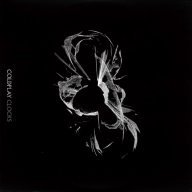
I Made A Clocks Cover!

Featured Replies

Hey, everybody! I made a Clocks Cover with my MP9000, Roland Electronic Drum Kit, Ibanez Guitar and Line 6 Amp, my Casio CGP-700 Keyboard, and my Yamaha Bass! (I forgot the bass name...)

I would like to hear your opinions on this, and how I can improve my mixing!

This link also includes the stems if you want to use them.

-Thanks!

Cover: http://www.mediafire.com/folder/5rabij88gfs4raz,qhe0n0kz4j0ostj,29dsr7br0e2g3f3,8b0m7bvwge6dve5/shared

Cover Stems: http://www.mediafire.com/folder/xgyw3botq0ymjsk,at32xvb1ixrezqw,1411bagclwxpbmd,dt6w6cgku12h57g,amnkotrweccsb6s,go8of127o1oi8zn/shared


P.S.:Sorry about getting that ending riff on the guitar offbeat...

...I might also want to redo that drum track with better levels on that hi-hat...

...and ride cymbal...

R.I.P.

Create an account or sign in to comment

Account

Navigation

Search

Search

Configure browser push notifications

Chrome (Android)
  1. Tap the lock icon next to the address bar.
  2. Tap Permissions → Notifications.
  3. Adjust your preference.
Chrome (Desktop)
  1. Click the padlock icon in the address bar.
  2. Select Site settings.
  3. Find Notifications and adjust your preference.