Everything posted by [email protected].
-
If & when available :) But, isn't this at least some kind of tour announcement!? Wohooo :happy:
-
Talk and Magic have been b/w before, right!?
-
Also likeable! Similar to my mentoning of old temples and stuff.
-
Anyone out there who can prove this background picture is new or old? :uhoh: The original picture must have been some kind of a pencil rubber artwork on several layers of paper I think!? Do you also see this? If you look from a different angle into your laptop screen you can see this (doesnt work on mobile phones). Or download it from their website and change brightness and halftones with image editing functions e.g. I m curious of all the artwork to come!
-
I edited the latest background image of coldplay's homepage a little bit https://www.coldplay.com/assets/img/bg-wide.jpg and I dont know what I try to find if I zoom in there (especially in the middle part of the picture) but I had to think of old temples and stuff. Do I see an holy elephant in there or am I going in to deep!? At least it is a very nice piece of art I think. Scale down: Brightness: -50 Halftones: -100

-
miss those too pleeease bring them back :dance: :wacko:
-
Oh I see hahah
-
Super excited for now! How beautiful is that timer and the whole theme so far!? Cant wait no longer. Hopefully they go on tour next year for a few gigs here and there. :moon::sunrise:
-
And if i click on that link the letter appears in black! At least on my mobile phone. If I do so at my computer it appears all normal in white
-
RÖYKSOPPs Lost Tapes: I Just Dont Understand You Rescue Ice Machine Rising Urge Church In the End Love them so much :bomb:
-
In the end we always get a great show anyways :) I miss at least one song per concert that I wish they had played instead of another. To satisfy me until the last day of all days they must play everything they have plus b-sides and unreleased stuff I guess :p
-
I was lucky enough to go to the very first public concert of that era (rock im park at nürnberg) where it was played without rihannas vocals and screen. It was a mindblowing blast for me! Edit: ..but I agree they can leave that one out if there s rihanna on...
-
Or its the song that shall not be named from that video supposed to be private :p
-
The return of Aiko wow that would be so freaking great! That 6.th song with no name must be Sunset. There s no other way in my opinion.
-
The whole thing will be a transition from 1919 music to 2019 music I guess.
-
:sunrise::moon:
-
Send it to me and I give you the LeftRightLeftRightLeft giveaway album in exchange (I have nothing else this special, Coldplay related) :innocent:
-
Always the best time here on the forum when everyone goes crazy about things to come :joy:
-
I think your brain is playing tricks on you. Cant see any change.
-
Thanks! Edit: Ooops it was discussed before. Reading backwards... lol
-
Where do you see there are 12 new videos uploaded?
-
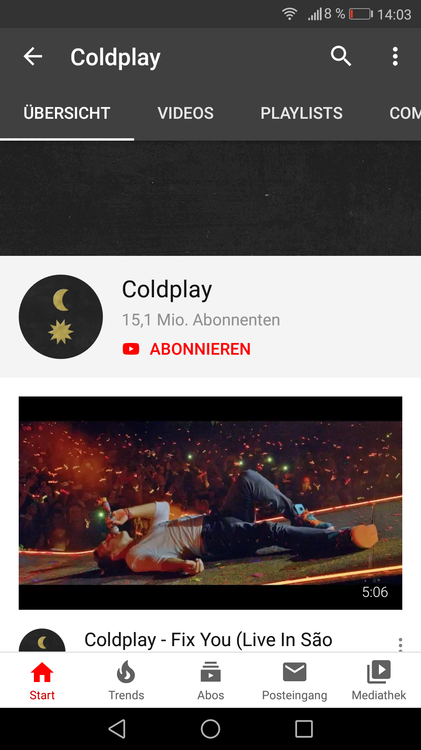
For me it was Fix You live in Sao Paulo and it still is highlighted on my phone
-
Hypnotised (with it s "a guidebook for the blues" - breathtaking) Miracles (Someone Special) Something Just Like This All I Can Think About Is You ALIENS Gesendet von meinem SM-T550 mit Tapatalk
-
Cant get the song Atlas out of my head while listening to Hypnotized Gesendet von meinem SM-T550 mit Tapatalk
-
Your compatibility with alexainrainbows is High. You both listen to Lana Del Rey, Børns and James Vincent McMo…. http://www.last.fm/user/CPrules