fuzzyman20
Members
-
Joined
-
Last visited
Everything posted by fuzzyman20
-
Its not up to me... Actually its up to the moderators of this forum! I dont want to break any forum rules
-
There are a few on tik tok... That's why I asked
-
Can we share links with the snippet of Higher Power?
-
You think it could be it?
-
I heard a small snippet from Higher Power that was allegedly from amazon music! Could it be a real snippet from the actual song?
-
A friend of mine works at a portuguese radio station (Radio Comercial) and said Coldplay will be releasing something huge sometime during the next week!
-
I made this cover myself a few months ago during lockdown. If you want to use anything from it message me 1262172207_upinflames.mp3Is it a legal version?Awesome stuff!!!Started recording this afternoon a cover of the song Proof. I used the CS-80 for the synth part This is the final part. It still needs some work on it What you think of it? demo.mp3I used a real oneLisbon, Portugal AROBTTHGreat cover!!!Heres the result of the recording I made using the CS-80 and the Korg Triton . Sorry for the waiting, I've been very busy lately White shadows ending.mp3Coldplay - Fix You (Organ 1) Korg Triton Rack Combi mode (Programs) Slot 1 - B039 Sine DW Organ (Volume 111) Slot 2 - B039 Sine DW Organ (Volume 37) PRM1 (Pitch +24) Keyz (G9 - F5) Slot 3 - C007 Dirty "B" Organ (Volume 70) Keyz (F#5 - C1) Slot 4 - D039 Good Old "B" Organ (Volume 11) Slot 5 - C007 Dirty "B" Organ (Volume 70) PRM1 (OSC2, Pitch +00) Keyz (G9 - F#5) Slot 6 - E-A099 Burnin' "B" (Volume 70) Keyz (G9 - G5) Bus - Slot 1, 2, 3, 4, 5, 6 = IFX1 (011.St.Exct/Enhcr + 096. Rotary SP OD) Master FX - 053.Rev Smith Hall Master EQ - Low -2, Mid +4, High +10I finally cracked itOn those pics he is playing the settings might be correct ones.... the only problem is resolutionI've been doing some research and we might be able to recreate the sound by copying the settings on the CS-80 Coldplay used. Of course all the help is essencial for this task. I ve found some footage of the CS-80 thats inside The Bakery. With some dedication we might be able to get the sound. EDIT: If we are lucky and they didn't change it since the X&Y
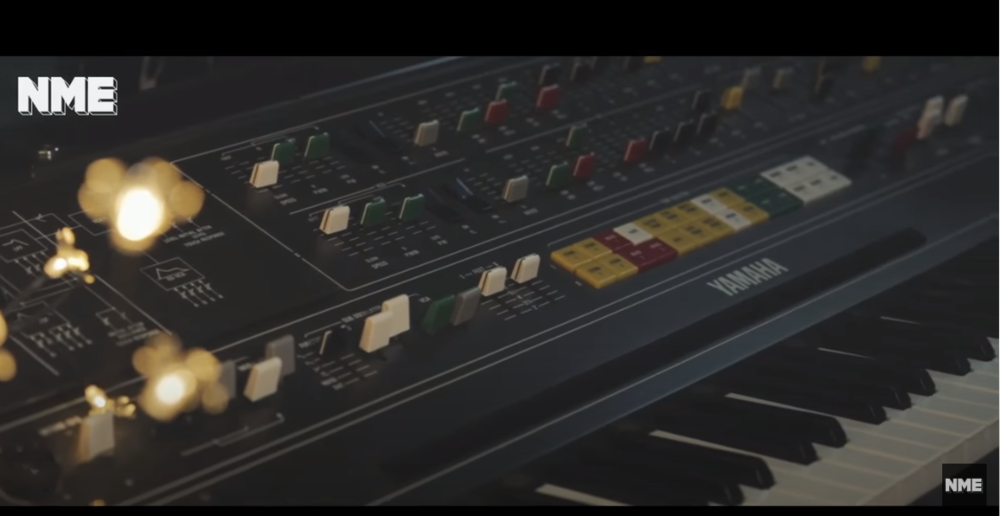
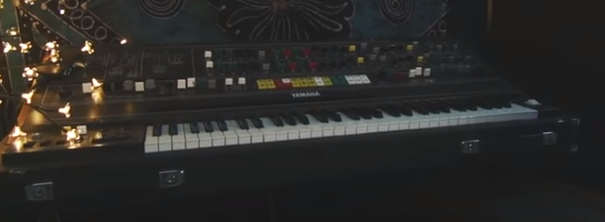 It might be tricky to get those synths! They probably come from a Yamaha CS 80... Which is pretty impossible to work with! A very complex synth! Coldplay only got one sound from it which is all over the X&Y albumKontakt is a sampler by Native Instruments; basically it allows people to create digital instruments by using audio they've recorded inside your DAW as an Instrument Plug-In. There are also thousands of sound libraries for Kontakt available onlineUnfortunatly its a Kontakt File... you should install a better DAW like ableton, Mixcraft or Pro Tool... .dls and .sf2 are not that common!I remember a few years ago using a tack piano on Kontakt! Maybe I can find it and send it to you?You should try the tack piano in Keyscape! Its amazingThe other sounds you hear are actually sampled from the original track. The CS-80 sound near the end you can get it using Arturia CS-80 VST . [MEDIA=googledrive]1MLeWydfu6U02zv3TAVkQIkAgz18hgCe1[/MEDIA] View: https://drive.google.com/open?id=1MLeWydfu6U02zv3TAVkQIkAgz18hgCe1 - Download link for the patches And remember... always use legit software