Skip to content
View in the app

A better way to browse. Learn more.

Coldplaying

A full-screen app on your home screen with push notifications, badges and more.

To install this app on iOS and iPadOS
  1. Tap the Share icon in Safari
  2. Scroll the menu and tap Add to Home Screen.
  3. Tap Add in the top-right corner.
To install this app on Android
  1. Tap the 3-dot menu (⋮) in the top-right corner of the browser.
  2. Tap Add to Home screen or Install app.
  3. Confirm by tapping Install.

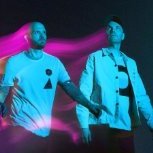
[5-11-2021] Coldplay open BRIT Awards with brand new single Higher Power

Featured Replies

2 hours ago, Captain Crieff said:

holy fuck, I'm pretty shocked at this, especially the Clocks thing, that's so weird. What is it with that song? First it's the vocals that are almost never live, now it's the instrumentals :confused:  and the other songs they played at the iHeart Radio festival last year were new recordings?

Not sure about the other songs, it's just that I happened to be familiar with the version of Clocks on Ghost Stories Live. I liked how it sounded back when it was released, so I listened to it a lot, and when the iHeart thing happened I recognised it immediately. Turns out it was probably a studio recording all that time… Anyway, tip of the iceberg probably


Create an account or sign in to comment

Account

Navigation

Search

Search

Configure browser push notifications

Chrome (Android)
  1. Tap the lock icon next to the address bar.
  2. Tap Permissions → Notifications.
  3. Adjust your preference.
Chrome (Desktop)
  1. Click the padlock icon in the address bar.
  2. Select Site settings.
  3. Find Notifications and adjust your preference.