Nie
Members
-
Joined
Everything posted by Nie
-
I have found someone mentioning this site: Mysmilies.com Those are looking a lot like the old ones Edit: this site has our old smilies! Look at the category "animated". I don't have any idea how to get those back on the forums though, there is a copy button but from that...
-
There is a thread in The Lounge "MOOOORE SMILIES!!" There Ian is mentioning that he has load of smilies to upload to the forum. Maybe he is telling his source somewhere.
-
I think it all started here [emoji4] https://www.coldplaying.com/forum/index.php?threads/9/
-
It was the Chris and Jonny hug that I saw. [emoji4] Who created those Coldplay related smilies ?
-
Too bad, but maybe it is time to make a new collection.
-
I remembered that the smilies were gone for a short while a few months ago (also after maintenance?). I have searched and that was around 21th August. Later on they appeared again. I remember it because I noticed that the hugs smilie was different. Can't you recall what you did at that time? I do hope you have a backup somewhere.
-
There are also still a lot of broken links to pictures in the Coldplay records/CD collectors thread. https://www.coldplaying.com/forum/index.php?threads/92788/
-
I don't think you can download them as "ordinary" music files. Spotify puts them over different files and maps when you download.
-
So weird to receive emails from Coldplay while listening to the Spotify sessions. [emoji4] Those email notifications are disturbing my listen session though. [emoji4]
-
You have to pay for exclusivity. [emoji4] Have you seen the shipping costs yet? I haven't got the email (yet) but I have reactivated my password just 1 hour ago. [emoji16]
-
-
Video is unavailable
-
Wow, that version of Yellow is so beautiful. I have goosebumps all over. [emoji173][emoji169]
-
And it is on the Mince Spies ep. (And that's why I grant it as a Coldplay song)
-
That's a riddle on it's own. [emoji39][emoji1]
-
Well, I have found the author and Chart positions. (Never heard of that one either). But that was easy doing some reverse lookup. [emoji4] That thread though... still is a mystery.
-
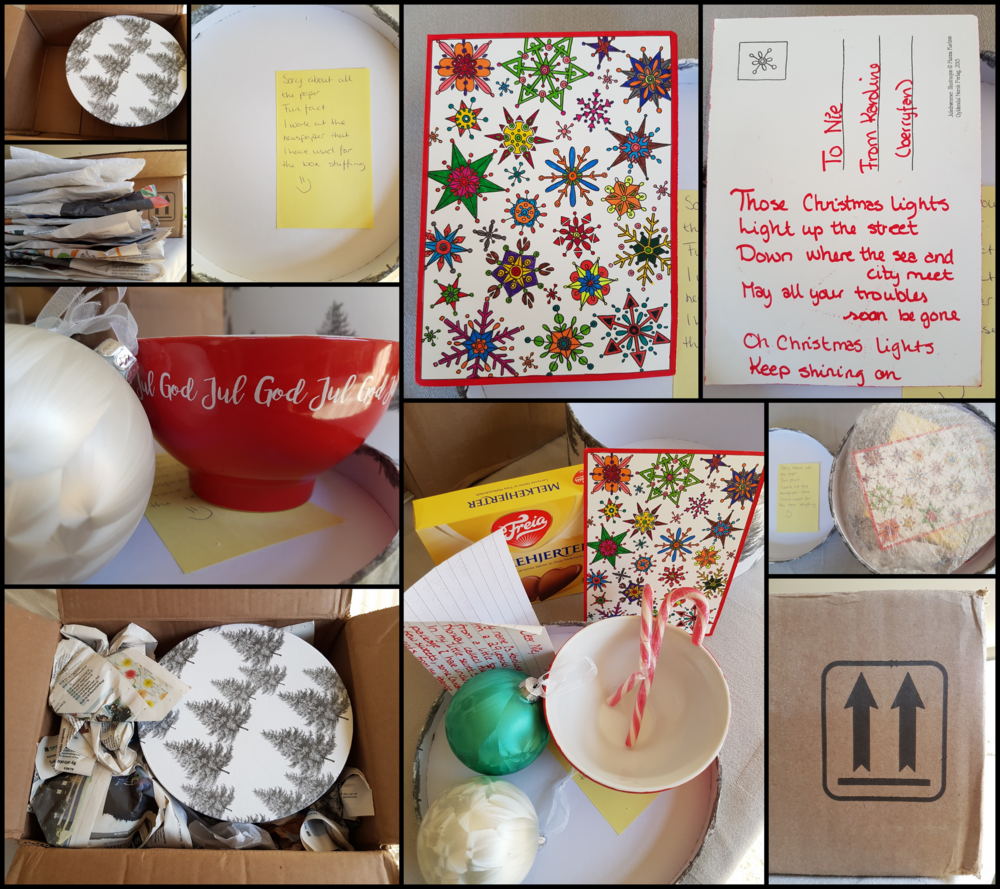
Today I went to the post office to collect my package. It was send from Norway. Hi Karoline (Berryfan), thanks for your lovely ornaments, sweets and the hand colored card! Here is a little story of me unwrapping the presents: I took a picture of every step. When I saw the arrows on the box it already made me smile because they reminded me of Up&Up. After I opened it and saw all the newspaper I took them out and put them on a pile. I had a lot of fun with that too. Took a picture. And after that I opened the round box and saw your yellow post-it note. :) The unpacking continued. The Christmas balls are lovely, they somehow make me think of the wings of Ghost Stories. They will get a special place amongst my Christmas decorations. I wish you a peaceful and happy Christmas too. Nie
-
Tomorrow is the day! [MEDIA=twitter]809495476307431428[/MEDIA] Mobile Link: https://twitter.com/coldplaying/status/809495476307431428
-
-
-
-
Talk
-
Sun, Sleeping [emoji4]
-
I'll wait. It's like a Christmas present that you can't open before Christmas eve. [emoji1]
-
I have found a note from the postman, there is a delivery waiting for me at the post office. Exciting!!! [emoji1] I'll have to be patient until tomorrow 11 am.